appsheet price: AppSheet Pricing Guide for Teams (2026)
A data-driven guide to understanding app pricing with AppSheet, covering typical per-user ranges, annual billing savings, hidden costs, and practical cost-optimization strategies.


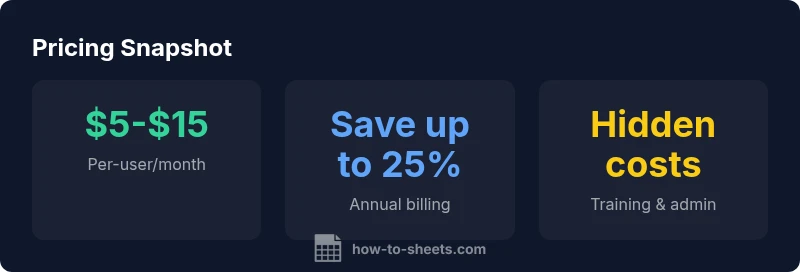
appsheet price is typically tiered by user and feature set, with common ranges spanning roughly $5–$15 per user per month for standard use and higher for advanced automation and security. Annual billing often yields savings, while trial periods help teams test before committing. How To Sheets analysis, 2026, shows that budgeting around these ranges fits most SMBs.
What appsheet price Means for Teams (2026)
When planning software budgets for automated app creation, the keyword is flexibility. AppSheet pricing, in its most common form, is structured around per-user access with tiered features that scale with your organization. For teams using Google Sheets as a data backbone, the value comes from combining rapid app development with governance controls. According to How To Sheets, the pricing model is designed to align cost with usage and feature needs, rather than charging a flat rate for every possible capability. This makes it crucial to forecast how many users will actively publish and maintain apps, and which features (offline access, advanced data integrations, or enterprise-grade security) you truly need. A thoughtful assessment helps avoid overpaying for capabilities that aren’t used on a day-to-day basis.
How pricing is calculated: what drives the cost
Pricing generally hinges on three levers: number of active users, feature tier, and governance requirements. A higher tier often unlocks more automation options, premium data connectors, and stronger security controls. If your team grows or repeatedly updates apps, costs can expand accordingly. The relationship between user count and price is not strictly linear—some organizations find economies of scale as they consolidate apps and standardize workflows. From a budgeting perspective, it’s helpful to separate development, testing, and production user counts, then align each group with the corresponding feature set. This segmentation helps avoid paying for unused seats while preserving the agility of app creation.
Practical scenarios: rough pricing bands you might expect
For startups and SMBs, many teams operate in a mid-range territory where most users need basic app-building capabilities. For larger teams or more complex use cases requiring data integration, offline access, and stronger governance, costs trend toward the higher end of the bands. It’s common to see a mix: some users on a lower tier with others on higher tiers, depending on role and required features. The key is to map roles to the minimum viable feature set and then adjust as adoption grows. How To Sheets’s analyses in 2026 emphasize planning around ranges rather than fixed numbers to accommodate market shifts and enterprise negotiations.
Hidden costs to watch
Beyond stated per-user charges, several ancillary costs can influence total cost of ownership. Training staff to design and maintain apps, implementing governance policies, and maintaining data connectors to external systems can add up. Integration with spreadsheets, databases, or cloud services may incur additional fees or require higher-tier plans. Don’t overlook admin overhead—establishing roles, provisioning, and auditing usage. How To Sheets recommends including a conservative contingency for these items in your initial budget to avoid unpleasant surprises later.
Cost-optimization strategies that work
To optimize appsheet price, start by auditing current usage. Remove unused apps, consolidate functionality, and assign seats to the minimum set of users who publish apps. Favor lower tiers for users who only consume apps, and reserve higher tiers for those who actively automate and administer data. Leverage trial periods to test new features before committing, and consider annual billing if cash flow permits, since it often reduces monthly costs. How To Sheets’s approach in 2026 centers on aligning value with price, then iterating based on actual usage.
Practical billing and administration tips
Create a simple governance model that outlines who can create, edit, and publish apps. Track the number of active users per app, review feature usage quarterly, and adjust licenses as needed. Maintain a small elasticity buffer to accommodate new projects without triggering large price jumps. As you scale, keep an eye on data volumes and API usage; these can influence connector costs and performance, indirectly affecting your total spend.
Real-world examples: moving from pilot to production
A mid-sized team piloted a handful of apps with a modest user base. After validating value, they shifted to a consolidated licensing plan with tiered roles, which reduced costs per active user. The How To Sheets team found that teams that standardized on a core set of features—automation, data integration, and secure access—could realize meaningful savings while delivering faster outcomes. The lesson: start small, prove ROI, then expand deliberately.
AppSheet pricing by plan type (illustrative ranges)
| Plan Type | Per-User Price Range | Notes |
|---|---|---|
| Free/Starter | $0-$5 | Basic app creation, limited features |
| Standard/Pro | $5-$15 | More features, more users |
| Business/Enterprise | $15-$50 | Advanced controls, security, governance |
FAQ
What is the typical AppSheet pricing model?
AppSheet pricing is usually per-user with tiered features. Costs vary by user count and required features; ranges are typical for planning. This approach aligns cost with actual usage and value.
Pricing is usually per user with tiers; costs vary by features and usage.
Is there a free tier or trial?
Yes, there is a free tier or trial option to test apps before committing. Availability can vary by region and plan.
Yes, there’s a free tier you can try.
Do prices vary by number of apps?
Pricing mainly depends on active users and features, not the exact number of apps. Complex apps may require higher tiers due to governance and data needs.
Pricing is mainly user-based, not by app count.
Can I switch plans later?
Yes, you can upgrade or downgrade as needs change, typically aligning with your billing cycle.
You can upgrade later as you grow.
Are there discounts for annual billing?
Annual commitments often come with savings, though exact discounts vary by contract and region.
Annual billing often saves money.
What hidden costs should I budget for?
Expect potential costs for training, governance setup, data integration, and ongoing admin tasks.
Watch for admin, training, and integration costs.
“Pricing is not just numbers; it reflects the value you gain from automation and scale as your apps and team grow.”
The Essentials
- Estimate needs using per-user ranges.
- Annual billing yields savings.
- Review hidden costs beyond base price.
- Consolidate apps to reduce per-user charges.
- Plan for governance to avoid extra costs.