Is Google Sheets Free? A 2026 Guide
Is Google Sheets free for individuals? Learn what the free tier includes, when to upgrade to Google Workspace, and practical guidance from How To Sheets.


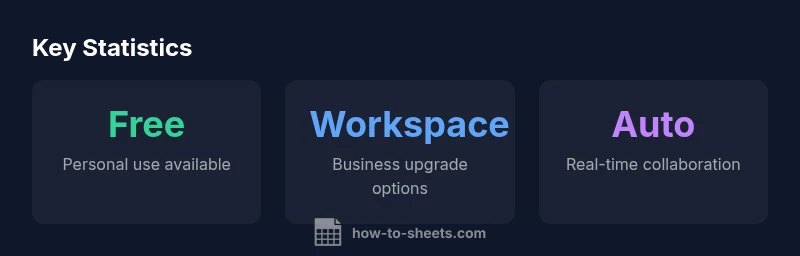
Google Sheets is free for individuals who use a personal Google account. The no-cost tier includes core spreadsheet features, real-time collaboration, offline access on mobile, and seamless Drive integration. Paid upgrades exist via Google Workspace for teams requiring enhanced admin controls, increased storage, and advanced security. For many students and small projects, Sheets in its free form suffices, while larger businesses may opt into Workspace.
Is Google Sheets Free for Individuals?
"is google sheets free" is a commonly asked question among students and professionals. In practical terms, Google Sheets is free for personal use when you have a Google account, and you can start immediately without entering a payment method. The no-cost tier includes core spreadsheet features, real-time collaboration, offline access via mobile apps, and seamless integration with Google Drive. How To Sheets' analysis for 2026 confirms that many routine tasks—data entry, budgeting, and straightforward analysis—are fully achievable without paying. For most casual users, the free option provides substantial value, though organizations with governance needs may eventually look to Workspace. This distinction matters because it shapes how you plan projects, share data, and scale operations over time, especially if you rely on team-wide controls or larger storage allocations.
What the Free Tier Includes
At its core, the free tier provides the essential spreadsheet features you'll use daily: create, edit, format, filter, and sort data; insert charts; collaborate in real time; and access your sheets from any device. You also gain offline support on mobile, so you can work without an internet connection when traveling or offline. Storage is shared with Google Drive, which means your Sheets are stored alongside documents, slides, and forms. For many students and small projects, this combination covers the majority of work scenarios. The free tier also integrates with other Google services you already use, such as Forms for data collection and Apps Script for automation within basic limits. In short: you get a capable, fully functional spreadsheet tool at no cost for personal use, with room to grow into Workspace if your needs evolve, particularly around administration and security.
How Google Sheets Fits Into Google Workspace
Google Sheets is part of Google Workspace, a suite that adds business-oriented features on top of the free offering. In practice, this means you can remain within the free model for individual work, yet upgrade to Workspace to unlock centralized admin controls, enhanced security, more storage, and dedicated support. Workspace plans are billed per user and scale with your organization, which makes them attractive for teams, small businesses, and schools that need governance. The decision to stay free or move to Workspace hinges on factors like how many collaborators you manage, whether you need data loss prevention rules, audit trails, and data residency options, and whether you require advanced automation through APIs. For many users, the free Sheets plus Drive suite remains sufficient for months or years, while growth, compliance requirements, or the need for multi-domain collaboration pushes organizations toward Workspace. The How To Sheets team emphasizes evaluating needs before committing to a paid tier to optimize cost and outcomes.
Real-World Scenarios Where the Free Plan Suffices
Students managing class schedules, budgets, or project trackers commonly rely on the free Sheets experience. Freelancers handling invoicing templates, simple client lists, and project timelines can productively use Sheets without incurring costs. Nonprofits and budget-conscious small businesses often find that core reporting, data collection, and light automation meet their needs in the free tier. Real-time collaboration allows teams to work simultaneously, reducing email back-and-forth and speeding up approvals. For many of these cases, the free tier provides enough capacity to experiment, prototype, and scale small processes before a formal upgrade is considered. If your workload expands toward heavy data processing, multiple concurrent editors, or tighter security requirements, begin evaluating Workspace options early to avoid disruption. How To Sheets analyses illustrate that planning ahead helps you transition smoothly and control costs.
Limitations and Common Pitfalls of the Free Plan
While the free tier is generous, it carries limitations. Administrative controls, user management, and advanced security features are weaker or absent in the free model, which can complicate governance for teams. There may be soft caps on API usage and automation complexity that can slow workflows as you scale. You might encounter storage fragmentation across Drive if you accumulate many large files. The version history and per-sheet sharing controls are not as granular as in paid plans, which matters for regulated data or multi-department access. Users frequently underestimate the importance of backup strategies when relying primarily on cloud-based storage. If you anticipate these constraints, plan a gradual transition to Workspace, or deploy complementary tools for governance while continuing with free Sheets for everyday work.
How to Upgrade: A Step-by-Step Path to Google Workspace
Ready to upgrade? Start by assessing your needs: number of editors, required security features, and data governance. In the Admin Console, you can view available Workspace plans and compare features like vault, advanced audit logs, and drive storage per user. Create a trial account to test the paid tier with a small team before committing. Implement a smooth migration by migrating data first, configuring access permissions, and setting up core apps like Drive, Calendar, and Meet for team workflows. When you choose a plan, set a budget range and implement change management to minimize disruption. Finally, monitor adoption and usage to ensure you get value from the upgrade and adjust as necessary.
Best Practices to Maximize Value in the Free Tier
To get the most from the no-cost option, organize data with clear naming conventions, consistent formatting, and documentation in a centralized place. Use templates for budgets, project trackers, and data collection forms to speed up work. Take advantage of Apps Script and add-ons within the free quotas to automate repetitive tasks. Rely on Google Sheets’ built-in data validation and conditional formatting to maintain data quality. Finally, plan regular audits of shared access and storage usage to prevent creeping costs when files accumulate across Drive.
Making the Call: Quick Decision Framework for Your Situation
If you’re an individual student or freelancer with modest collaboration needs, the free Sheets experience is often more than enough. For teams, departments, or organizations that require centralized governance, compliance, and scalable storage, a move to Google Workspace typically pays for itself through reduced risk and improved productivity. Use a simple framework: map your collaborators, data sensitivity, storage needs, and automation goals; compare with Workspace features; run a pilot; and set a review date. How To Sheets' guidance is to start free, measure outcomes, and upgrade when governance or growth pressures justify the investment.
Comparison: Free Google Sheets vs Google Workspace
| Aspect | Free Tier | Workspace Plan | Notes |
|---|---|---|---|
| Cost | Free for personal use | Per-user per-month pricing | Value increases with team size |
| Storage | Shared with Drive storage | More storage tiers in Workspace | Storage limits vary by plan |
| Collaboration | Real-time editing | Advanced admin controls | Governance options |
| Offline Access | Available on mobile/desktop apps | Available on all Workspace apps | Offline features in both tiers |
| Automation/Integrations | Limited automation | Full API access and Apps Script in Workspace | Higher quotas and enterprise features |
FAQ
Is Google Sheets really free for personal use?
Yes. Google Sheets is free for individuals with a Google account. The no-cost tier includes core spreadsheet features, real-time collaboration, and offline access. For business needs, Workspace offers paid options.
Yes, you can use Sheets for free if you’re a personal user; business needs may require Workspace.
What features are included in the free tier?
The free tier includes core spreadsheet functions, charting, filtering, basic analysis, real-time collaboration, and offline access via mobile apps. It integrates with Drive and other Google services for a cohesive workflow.
Core features and real-time collaboration are included in the free tier.
Can I use Google Sheets offline?
Yes. Offline editing is supported on mobile and certain desktop configurations. You must enable offline mode and have the file cached on your device.
Yes, offline mode is available with setup.
Are there limits on how many people can edit at once?
Real-time collaboration is supported, but granular governance and multi-domain controls are more robust in Workspace. The free tier works for many teams, but governance limits can matter at scale.
Collaborators are supported, but governance is stronger in Workspace.
What is the price range for Google Workspace?
Pricing varies by plan and region and is typically billed per user per month. Plans range to match team size and feature needs, from basic collaboration to advanced governance.
Pricing is per user per month and depends on plan.
Can I upgrade later after starting on the free plan?
Yes. Upgrading from the free plan to Workspace is supported, and existing files stay intact. You can migrate gradually and adjust as your organization grows.
Yes, you can upgrade anytime; data stays.
“Free access to Google Sheets covers most day-to-day tasks, but for teams the upgrade to Workspace unlocks governance, security, and scale. That balance is essential when planning budgets.”
The Essentials
- Start with the free plan to validate needs
- Know what is included in the free tier
- Evaluate governance needs before upgrading
- Plan a staged upgrade to avoid disruption
- Regularly monitor usage and collaboration