Does Google Docs Need a Subscription? Free Access Explained
Does Google Docs require a subscription? This analytical guide clarifies free access for individuals, what Workspace adds, storage limits, offline features, and how teams can decide when a paid plan makes sense.


No subscription is required to use Google Docs for personal, non-business work. With a free Google account you can access Google Docs, create documents, and collaborate in real-time without paying. You also get access to Sheets and Slides as part of the same suite, all stored in Google Drive. Subscriptions become relevant only when you move into Google Workspace for teams or organizations that require additional storage, security controls, and admin management.
The central question: does google docs need a subscription? The short answer is no for personal use. With a free Google account you can access Google Docs, create documents, and collaborate in real-time without paying. You also get access to Sheets and Slides as part of the same suite, all stored in Google Drive. This setup is designed for individuals, students, and independent professionals who want simple, accessible document tooling.
Where the subscription concept comes into play is the context of teams or organizations. When you switch from a consumer account to Google Workspace, you unlock business-grade features such as centralized user management, security controls, shared drives for team collaboration, more granular access permissions, and administrative auditing. The core writing and editing features in Docs stay free in many cases, but the surrounding infrastructure—storage quotas, security policies, and device management—often drives the decision to subscribe.
For many users, the decision is not about the core product but about the ecosystem. If your workflow depends on a single-person setup, personal templates, or quick collaboration with a small group, the free tier is usually sufficient. If your work requires team onboarding, regulated data handling, or multi-domain administration, a Workspace subscription becomes more compelling. The bottom line: does google docs need a subscription? Not for everyday drafting; yes, for enterprise-scale requirements.
How Google Docs fits within a Google account
Google Docs is part of Google Drive, which is tied to your Google account. Signing in creates a workspace of interconnected apps—Docs, Sheets, Slides, and Forms—that share a common storage pool. With a standard free account you typically receive about 15 GB of storage across Drive, Gmail, and Photos; actual usable storage for Docs documents lives within that quota. These documents automatically sync across devices, enable real-time collaboration, and preserve version history. If you hit your storage limit, you can either delete content or upgrade storage by subscribing to Google Workspace or by purchasing additional storage through Drive. The subscription path also unlocks administrative features for teams, including user provisioning, access controls, and data loss prevention tooling. The key practical distinction is personal vs organizational usage: personal use leverages the free tier, while teams with governance needs may justify an investment in Workspace. In all cases, your documents stay accessible as long as you have a Google account and internet access, with offline modes available for times when connectivity is unreliable.
Free tier features you get with a free Google account
- Real-time collaboration on documents, spreadsheets, and slides.
- Access to core editing tools, templates, and basic formatting.
- Cloud storage tied to Drive across Docs, Sheets, and Slides (typical consumer tier is 15 GB).
- Version history and comment/suggested-edit workflows to track changes.
- Real-time commenting, sharing permissions, and simple access controls.
- Optional offline mode support for activities without internet.
- Seamless integration with other Google apps (Calendar, Gmail, Meet) to support a connected workflow.
These features provide a robust baseline for students, freelancers, and small teams who don’t require advanced administration or security controls. The key is that all these capabilities exist within the free consumer tier, without a Workspace subscription.
When a Workspace subscription becomes relevant
Workspace subscriptions become relevant when teams, schools, or organizations need governance, security, and scalability beyond the consumer-grade offering. The main reasons to upgrade include centralized user management via an Admin Console, the ability to provision and revoke user access quickly, and policy enforcement like data loss prevention (DLP) and access controls. Additional storage options beyond the default free quota are another common driver, especially for teams handling large files or multi-domain collaborations. Shared drives enable consistent ownership and access for team members, while security features such as enhanced endpoint management, SSO (single sign-on), and advanced auditing help meet regulatory requirements. In practice, many small businesses start with a Workspace plan when they outgrow the free tier on aspects such as storage or admin oversight. For individuals or volunteers, the free tier usually remains sufficient unless a specific workflow demands more control.
Storage, collaboration limits, and performance considerations
As documents and teams grow, so do storage demands and collaboration complexities. Large documents with embedded media can impact load times and offline syncing. The free tier shares storage across Drive, Gmail, and Photos, so a mismanaged inbox or a large Drive library can limit Docs’ capacity. Collaboration features remain strong in both tiers, but Workspace unlocks advanced sharing rules, specific domain controls, and reporting dashboards that are valuable for organizations with multiple editors and varying permissions. Performance can also be influenced by network conditions, browser choice, and the number of simultaneous editors. In most cases, you won’t notice a drop in core document functionality when staying on the free tier, but if you require centralized security policies, team-wide governance, and higher storage ceilings, a Workspace plan offers a clearly defined path forward.
Offline access and mobile considerations
Offline access is a practical feature for users who travel or work in environments with unreliable connectivity. In Docs, you can enable offline access from the settings, allowing you to create, edit, and view documents without an internet connection. Updates sync automatically when you go back online. Mobile apps (iOS and Android) provide nearly full parity with the desktop experience, including offline capabilities, voice typing, and easy sharing workflows. The decision on whether offline features justify a Workspace subscription is usually driven by organizational needs for consistency across devices and the ability to enforce offline-edit policies across a team.
Pricing options and value assessment
Google Workspace pricing varies by tier, region, and whether you’re buying per user or per organization. For individuals or small teams that require basic collaboration and storage, the value is often measured by ease of use, reduced IT overhead, and the convenience of a single admin interface. When evaluating costs, consider storage ceilings, security features, admin controls, and whether additional tools (like Vault, advanced DLP, or SSO) align with your governance requirements. A practical approach is to start with the free personal use model, monitor storage usage and collaboration needs over a quarter, and then pilot a Workspace plan for a small team to quantify benefits before broader adoption.
Students, professionals, and small businesses: tailored guidance
Students benefit most from free Docs with ample templates and real-time collaboration for group projects. Professionals who collaborate with teams and clients may find Workspace advantageous for controlled sharing, version auditing, and centralized admin settings. Small businesses often require Workspace for its governance and compliance features, even if they don’t need all enterprise-grade capabilities. Regardless of your role, begin with a clear list of must-have features (storage, admin controls, offline access) and compare the free tier against the minimum Workspace tier that delivers those capabilities. A staged approach minimizes cost while ensuring team productivity remains high.
Practical decision framework
Start with free personal use to establish baseline productivity. Track storage usage, collaboration needs, and any governance requirements over 4–6 weeks. If you hit storage quotas, need more robust admin controls, or require policy enforcement across multiple users, run a structured pilot of Google Workspace with a small group. Use a simple return-on-value calculation: estimate time saved, reduced IT overhead, and risk mitigation against data loss versus annual per-user costs. This framework keeps the decision data-driven and aligned with actual workflows.
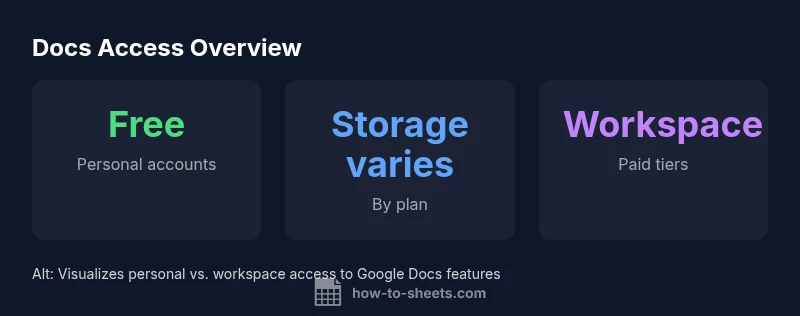
Personal vs Workspace access to Google Docs features
| Aspect | Personal Use (Free) | Workspace (Paid) | Notes |
|---|---|---|---|
| Subscription | No (free) | Yes (paid tiers) | Depends on plan |
| Storage | 15 GB free | Varies by plan | More storage available in paid tiers |
| Offline access | Supported (with setup) | Supported (with setup) | Offline requires enabling in settings |
| Collaboration features | Core features included | Advanced controls & reporting | Best for teams and organizations |
FAQ
Does Google Docs require a subscription for personal use?
No. For individuals with a standard Google account, Docs is accessible free of charge. You can create, edit, and collaborate on documents without paying a subscription, and you’ll still have access to Sheets, Slides, and Drive.
No. You can use Google Docs for free as an individual with a standard Google account.
What features come with Google Workspace that Docs doesn’t include?
Workspace adds admin controls, multi-user management, enhanced security, Shared drives for teams, and additional storage options. It’s designed for organizations that need governance and enterprise-grade features.
Workspace includes admin controls, security enhancements, and team storage options that aren’t in the free Docs path.
Is offline mode available without a Workspace subscription?
Yes. Offline access can be enabled in Docs settings and used without a subscription. It lets you edit documents offline and sync changes when you’re back online.
Offline access works without a paid plan, once you enable it in settings.
Can I upgrade later if I start with a free account?
Yes. You can upgrade to Google Workspace at any time. Your documents remain intact, and you gain access to the additional admin controls and storage by the chosen plan.
You can upgrade anytime; your files stay intact and you gain new workspace features.
How much free storage do I get with a Google account?
A standard free Google account includes storage across Drive, Gmail, and Photos (commonly 15 GB). This quota determines how many documents you can store before needing an upgrade.
Most free accounts start with about 15 GB of storage across all Drive items.
Are educational or nonprofit programs different for Docs access?
Schools and nonprofits can access different program options, which may include favorable terms or access to Workspace features under specific eligibility requirements.
Education and nonprofit programs can offer special terms or access to Workspace features.
“Google Docs provides solid core capabilities for individuals without a subscription; Workspace is designed to scale governance and security for teams.”
The Essentials
- Start with the free Google Docs option for individuals.
- Workspace adds governance, storage, and security—useful for teams.
- Offline access and mobile support are strong in both paths.
- Storage quotas influence decision to upgrade.
- Evaluate needs before choosing a paid plan.