Does Google Sheets Cost Money? A Practical Guide
Does Google Sheets cost money? Explore free vs paid options, workspace pricing concepts, and practical tips for students, professionals, and small businesses. A How To Sheets analysis breaks down when to upgrade and how to save.


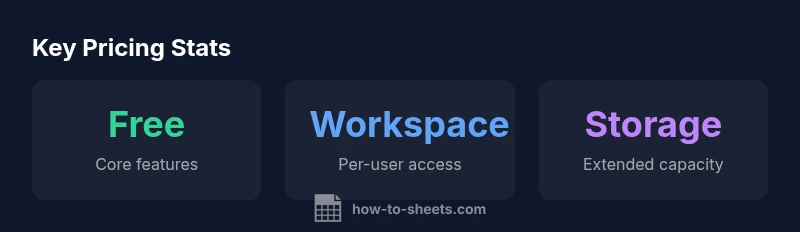
Google Sheets is free for individuals who have a Google account, and most personal use falls under this free tier. Paid Google Workspace plans exist for organizations with enhanced admin controls, security, and storage. For many students and small teams, the free version suffices, while larger teams may opt into Workspace to access additional features.
Free tiers and does google sheets cost money
Readers often wonder does google sheets cost money, and the short answer is nuanced. The core Google Sheets application is available at no charge to individuals who already use a Google account, making it a popular choice for students, freelancers, and small teams. The free tier includes most standard spreadsheet features, real-time collaboration, and seamless integration with Drive and other Google apps. According to How To Sheets, the majority of personal users rely on this free offering for day-to-day tasks like budgeting, projects, and simple data tracking. If your work involves heavy automation, policy governance, or large-scale team collaboration, you may eventually confront limits that push you toward a paid plan.
When Google Sheets costs money: Workspace triggers
For organizations that require centralized administration, advanced security controls, and scalable storage, Google Workspace (the paid tier) becomes relevant. Workspace adds features such as admin consoles, data loss prevention, SSO/SAML, and enhanced support. The decision to upgrade often hinges on team size, regulatory requirements, and the need to manage access and permissions at scale. The How To Sheets team finds that many small businesses start with the free Sheets while piloting Workspace for a larger phase of growth, iteration, and compliance.
How pricing works in Google Workspace (conceptual view)
Pricing in Workspace is typically described in per-user terms and tiered by features. In practice, organizations budget for seats rather than per-document charges, which means the total monthly cost depends on how many team members will access Sheets and other Workspace apps. The exact dollar figures vary by country and plan, but the guiding principle remains constant: more users and stricter governance equal higher costs. How To Sheets Analysis, 2026, emphasizes evaluating both the administrative needs and the storage pool available to the team when considering upgrades.
Feature comparison: Free vs paid at a glance
- Access and identity: Free for individuals; Workspace provides centralized admin, single sign-on, and role-based access.
- Collaboration: Real-time editing available in both, but Workspace offers more granular control over sharing and external access.
- Security and compliance: Free tier offers basic protections; paid tiers add DLP, data controls, and audit logs.
- Storage: Free storage is tied to Drive quotas; Workspace pools storage across the organization with options for expansion.
- Support: Community and forum help for free users; paid plans include business hours support and priority assistance.
Storage and collaboration limits (practical implications)
In the free tier, users rely on individual Google Drive quotas, which can constrain large projects or data-heavy work. Workspace migrations unlock pooled storage and more predictable governance. For teams managing multiple sheets, data sources, or external collaborators, the per-user model helps admins allocate licenses where needed while keeping costs predictable.
Cost-saving strategies and practical tips
- Start with the free tier for pilot projects and individual workloads.
- Use shared drives and pooled storage in Workspace to optimize capacity.
- Leverage templates and automation within Sheets to minimize manual work, which reduces the number of seats you need to accommodate ongoing collaboration.
- Audit user access regularly to avoid paying for inactive licenses.
- Consider bundling Sheets with other Workspace apps if your organization already uses them.
Real-world scenarios: students, freelancers, and SMBs
Students typically benefit from the free tier, using Sheets for class projects and personal budgets. Freelancers may start with free access and move to Workspace when they expand to client management and invoicing workflows. Small to mid-sized businesses often test the waters with a small number of Workspace licenses, scaling up as projects and teams grow.
How to evaluate if you need Workspace: a practical checklist
- Do you require admin controls, centralized user management, and data governance?
- Are there regulatory or security requirements you must meet?
- Will you be collaborating with a large number of external partners or teams?
- Is your storage demand growing beyond personal Drive quotas?
- If yes, consider a phased upgrade plan to Workspace to balance cost and governance.
Migration and upgrade: practical steps and considerations
If you decide to upgrade, start with a small pilot group to validate workflows before broad rollout. Prepare your admin team with training on sharing policies, data security, and license management. Plan a staged migration from personal accounts to Workspace identities to avoid disruption in ongoing projects.
Free vs. Google Workspace: qualitative differences in pricing and features
| Aspect | Free Google Sheets | Google Workspace (Paid) |
|---|---|---|
| Access | Individual account | Organization-wide management |
| Collaboration | Real-time editing with others | Enhanced sharing controls and governance |
| Storage | Drive quotas via personal account | Pooled/expanded storage for teams |
| Support | Community forums, basic help | Business hours support and admin assistance |
FAQ
Is Google Sheets free for personal use?
Yes, Google Sheets is free for individual users with a Google account. The core app is included in the free tier, though paid Workspace plans exist for teams needing advanced admin features and security.
Yes. The basic Sheets app is free for individuals with a Google account.
What counts as a paid Workspace plan?
Workspace plans are paid editions that add admin controls, security features, and advanced collaboration options for teams and organizations.
Workspace adds admin and security features for teams.
Do I need Workspace if I have a small team?
Not always. A small team can often run on the free tier, but if you require centralized admin and data governance, consider Workspace.
A small team may not need Workspace yet.
Can I use Google Sheets offline?
Yes, Google Sheets supports offline editing via offline mode. You may need to enable settings and use a compatible browser.
You can edit offline with Google Sheets.
Are there storage limits in the free plan?
Free users rely on Google Drive quotas; Workspace offers expanded or pooled storage with admin controls.
Free storage exists but has limits; Workspace expands it.
How can I tell if I need to upgrade?
Assess governance needs, security requirements, and collaboration scale. If those expand beyond the free tier, consider upgrading.
Evaluate governance and collaboration needs to decide.
“Pricing for Sheets hinges on team size, governance needs, and storage requirements. A careful assessment of admin controls and collaboration goals helps determine whether free use suffices or a Workspace upgrade is warranted.”
The Essentials
- Start with the free tier for individual use and pilots.
- Upgrade to Workspace when governance and scale demand it.
- Costs are driven by per-user licensing and admin needs, not per document.
- Assess storage and security requirements before upgrading.
- Use cost-saving practices to maximize value without unnecessary licenses.