Do You Need a Subscription for Google Sheets? A Practical Guide
Explore whether Google Sheets requires a paid subscription, what features are free vs. paid, and practical guidance for students, professionals, and small businesses.


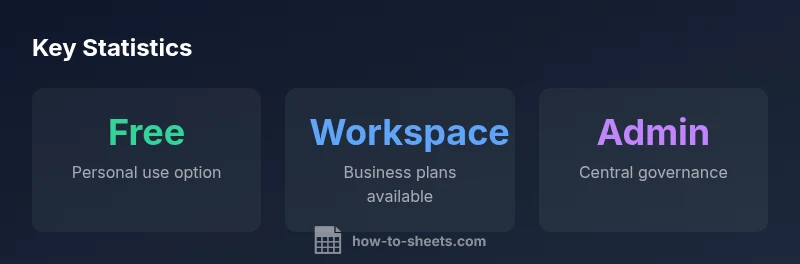
Google Sheets can be used for free with a personal Google account. A subscription is only needed if you require business-focused features from Google Workspace, such as centralized admin controls, enhanced security, shared drives, or advanced collaboration options. For most students and small teams, the free tier suffices, while Workspace is optional and chosen based on your organization’s needs, policies, and scale.
do you need a.subscription for.google.sheets
The short answer to do you need a.subscription for.google.sheets is: not for everyday spreadsheet work. Google Sheets is available free of charge when you use a personal Google account. This means most students, freelancers, and small teams can create, edit, and collaborate on spreadsheets without paying. The free tier includes core features like real‑time collaboration, offline support, form responses, and integration with Google Drive. The need for a Workspace subscription typically arises when your organization requires centralized management, policy enforcement, or enhanced security. According to How To Sheets, many teams start on the free tier and upgrade only when governance or scale demands it. In practice, this means you can pilot projects, learn, and prototype without any upfront cost, then decide if a subscription is warranted based on governance needs and user management.
How Google Sheets pricing is structured
Pricing for Google Sheets is not a single price tag. There are two broad tracks: a free personal tier and Google Workspace (formerly G Suite) for business use. The free tier is bundled with a Google account and provides all the essential spreadsheet features you expect. Google Workspace offers multiple plans with different levels of administration, security, and collaboration controls. The exact costs and plan names vary by region, and pricing is typically presented as per-user per-month. For teams evaluating cost, it’s helpful to compare the features you need—admin controls, shared drives, and data protection—and map those to Workspace offerings. How To Sheets analyses show that many small teams can operate entirely within the free tier for a long period, while larger teams or regulated industries often opt for Workspace for governance reasons.
What features require a subscription
Not every feature in Google Sheets needs a subscription, but some capabilities are exclusive to Workspace. Key areas that commonly drive upgrade decisions include: centralized admin console for user and device management; advanced security controls such as data loss prevention and enterprise-grade security; shared drives for consistent file ownership; elevated audit trails and support options; enhanced data residency and compliance options; and priority support. For most users, the core spreadsheet, formulas, charts, and collaboration remain accessible in the free version while Workspace unlocks governance and scale benefits.
Practical use-cases for different groups
Students can rely on the free tier for class projects, personal budgeting, and shared study trackers. Professionals who collaborate with small teams often stay on the free plan until they need tighter controls or organization-wide policies. Small business owners may begin with the free tier and upgrade when their team requires centralized management, standardized access controls, or compliance reporting. The decision often hinges on how many users need admin oversight and how sensitive the data is.
How to verify your plan and upgrade steps
If you’re part of a larger organization or you’re an admin, start by checking whether your Google account is tied to a Workspace domain. In the Google Admin Console, you can view user licenses and upgrade options. For individuals, visit the Google Workspace pricing page to compare Starter, Standard, Plus, and Enterprise plans, noting that prices and features vary by country. If you’re unsure, many providers offer a free trial period to explore Workspace features before committing. Always back up essential data before upgrading to ensure a smooth transition.
Cost-saving tips and alternatives
Leverage the free Google Sheets features as a baseline. For many workflows, you can create robust spreadsheets with formulas, charts, and add-ons without a subscription. If governance is your priority, consider alternatives such as protected sheets, sharing settings, and version history, which can be combined with Workspace if needed. If you require offline and advanced enterprise controls, a Workspace plan may be justified. Finally, explore concurrent tools (e.g., other office suites) for specific features that aren’t essential to your core workflow.
Subscription options overview
| Plan Type | Key Features | Cost Model | Best For |
|---|---|---|---|
| Free personal | Core Sheets, Drive integration | Included with Google account | Students/individuals |
| Workspace Starter | Admin controls, shared drives | Pricing varies by plan | Small teams |
| Workspace Business | Advanced security, policy management | Pricing varies by plan | Growing teams |
| Workspace Enterprise | Custom terms, governance controls | Custom pricing | Large organizations |
FAQ
Do I need a subscription to use Google Sheets at all?
No. You can use Google Sheets for free with a personal Google account. A subscription becomes relevant only if you need Workspace features like admin controls or enhanced security for a team or organization.
No, you can use Sheets for free with a personal Google account. A Workspace subscription is optional and only needed for team-wide governance features.
What features come with Google Workspace that aren’t in the free version?
Workspace adds centralized administration, enhanced security options, shared drives, and advanced support. These features are designed for organizations that require governance, policy enforcement, and enterprise-grade controls.
Workspace adds admin controls, stronger security, and shared drives—great for teams needing governance.
Can I upgrade from free to Workspace later?
Yes. You can upgrade at any time from the Google Workspace pricing page or your admin console if you manage a domain. Start with a trial if available to evaluate features before committing.
Yes, you can upgrade anytime, often via the Admin Console or Workspace pricing page. Try a trial first.
Are there student discounts or regional differences in pricing?
Pricing varies by plan and region, and some organizations may offer discounted terms. Check the official Google Workspace pricing page for your country and any student programs your institution might provide.
Prices differ by region and plan; check your country page and any student programs.
Is offline access available on Workspace and free versions?
Offline access is available in both versions, but Workspace may offer more consistent behavior for enterprise devices and policies. Ensure offline mode is enabled in settings for reliable use without internet.
Yes, offline mode works in both, with Workspace offering stronger device policy support.
Can I use Google Sheets with Excel files without losing data?
Google Sheets can import and export Excel files, preserving most formats and formulas. Some complex macros may require adjustments, but basic data transfer generally works well.
You can import/export Excel files, but some advanced macros might need tweaks.
“A well‑configured Google Sheets setup covers most day‑to‑day needs without a subscription, but Workspace is worth it when centralized governance and enterprise security are essential.”
The Essentials
- Know what your current plan provides and what requires Workspace
- Test the free tier first before upgrading to avoid unnecessary costs
- Admin controls and security are the main drivers for Workspace
- Upgrade decisions should align with governance needs, not just user count
- Always verify regional availability and trial options before committing