google sheets like: A comprehensive comparison of alternatives for 2026
Explore the best Google Sheets-like tools for 2026: Excel Online, Airtable, Zoho Sheet, and LibreOffice Online. Analyze criteria, pros/cons, and migration tips for students, professionals, and small businesses.


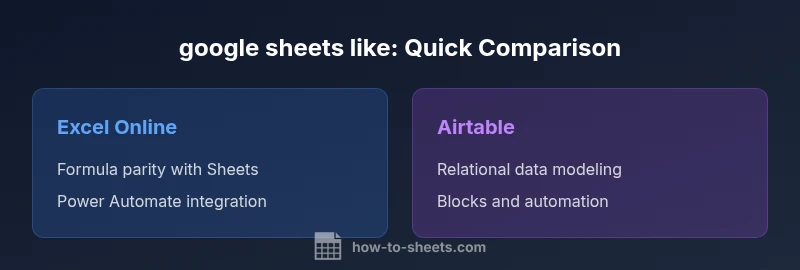
This comparison highlights the strongest Google Sheets-like tools for 2026: Microsoft Excel Online for closest parity with Sheets formulas and scripting, Airtable for relational databases, Zoho Sheet for value and features at a lower price, and LibreOffice Online for strong offline capabilities. For most users, Excel Online is the best all-around substitute, with Airtable and Zoho Sheet providing compelling alternatives depending on data shape and team needs.
Why people search for google sheets like in 2026
In a world where teams collaborate across time zones, many students and professionals look for a spreadsheet tool that mirrors Google Sheets while offering unique strengths. The phrase google sheets like often signals a desire for a browser-based solution with real-time collaboration, familiar formulas, and easy sharing. According to How To Sheets, the selection process should start with what you value most: parity with Sheets formulas and scripts, offline access, or relational data handling. This guide uses practical, step-by-step criteria to help you choose the right fit for your workflow and budget, especially if you need to operate outside Google Workspace environments.
In this section, we reference concepts from How To Sheets Analysis, 2026 to ground the guidance in industry practice. The goal is to help you evaluate options without hype, focusing on real-world use cases like class assignments, project tracking, and lightweight data modeling. The content also highlights common gaps between Sheets and its stand-ins, so you can plan migrations with minimal friction.
For readers familiar with the term google sheets like, this article emphasizes a practical lens: not every tool will be a perfect clone, but many options can meet core needs such as data entry, lightweight modeling, shared access, and automations. We’ll explore when a substitute makes sense, and when sticking with Sheets or adding a hybrid approach is preferable.
Feature Comparison
| Feature | Microsoft Excel Online | Airtable | Zoho Sheet | LibreOffice Online |
|---|---|---|---|---|
| Formula and script compatibility | High parity with Excel formulas; Office Scripts offer automation | Good for structured data; supports formulas with scripting via APIs | Moderate parity; some classic Sheets formulas differ | Basic formulas with limited scripting; better for simple tasks |
| Collaboration and sharing | Real-time collaboration with co-authoring and version history | Real-time collaboration with rich table linking and blocks | Real-time editing with permission controls | Collaboration available; strongest on desktop/LMS integrations |
| Offline access | Strong offline mode via web apps and mobile apps | Limited offline features; relies on cloud connectivity | Offline support depends on platform and deployment | Solid offline capability in desktop-like environments |
| Automation and APIs | Power Automate integrations; Office Scripts for automation | APIs and automations tailored for relational data | APIs exist; automation is less mature than Sheets-compatible options | Scripting support is more limited; relies on external tools |
| Pricing model | Free tier with Microsoft account; paid plans for advanced features | Free tier with basic features; paid plans for larger projects | Free tier available; paid tiers for advanced features | Open-source options or hosted variants with varying costs |
The Good
- Real-time collaboration across teams with familiar interfaces
- Wide range of integrations and automation options
- Strong offline capabilities in several options
- Flexible pricing, including free tiers for students and small teams
The Bad
- Formula parity can vary; some Sheets-specific functions differ
- Advanced scripting and automation may require learning new APIs
- Offline performance can be inconsistent across tools
- Migration may require data restructuring for relational databases
Excel Online is the best all-around google sheets like substitute for most users
Choose Excel Online for closest parity with Sheets formulas and scripting. Consider Airtable if your data are highly relational, or Zoho Sheet if you want strong value at a lower price. LibreOffice Online is best when offline access is a priority.
FAQ
What is the best Google Sheets-like tool for collaboration?
For collaboration, Microsoft Excel Online and Airtable both excel, offering real-time co-authoring and robust sharing controls. Your choice should depend on whether you need spreadsheet-like grids (Excel Online) or relational data modeling (Airtable).
For team collaboration, Excel Online and Airtable are strong choices. Pick based on whether you need spreadsheets or relational data modeling.
Can I preserve formulas when migrating to Excel Online?
Most core sheets formulas transfer, but some Sheets-specific functions may require alternatives. Testing a small sample file helps ensure critical calculations carry over correctly before full migration.
Most formulas transfer, but check for any Sheets-only functions. Do a small test migration first.
Are there free Google Sheets-like apps suitable for students?
Yes, several tools offer free tiers with essential features suitable for coursework. Zoho Sheet and LibreOffice Online often provide generous free options, while Excel Online also has a capable free tier tied to a Microsoft account.
Yes—Zoho Sheet, LibreOffice Online, and Excel Online offer free tiers good for coursework.
How difficult is migrating data from Google Sheets to Airtable?
Migration is straightforward for tabular data, but Airtable treats data more like a relational base than a flat sheet. You may need to re-think tables as linked records and set up relationships.
Moving to Airtable is simple for lists, but you may need to structure data as linked records.
Do these tools support Google Apps Script equivalents?
Most alternatives offer their own automation APIs or scripting environments. Excel Online uses Office Scripts, while others rely on REST APIs or built-in automation features. Check compatibility for your longest-running scripts.
Look for Office Scripts in Excel Online; other tools use their own APIs.
Which tool is best for offline work?
LibreOffice Online and some desktop-enabled offerings provide strong offline capabilities. If offline is critical, consider pairing a desktop app (or an offline-capable cloud variant) with periodic online synchronization.
LibreOffice Online shines offline; consider desktop options for robust offline use.
The Essentials
- Define must-have features before choosing a substitute
- Excel Online offers strongest parity with Google Sheets
- Consider offline and mobile access in your criteria
- Test a small migration before full rollout
- Leverage official guides to map formulas and scripts