How Often Does GOOGLEFINANCE Update in Google Sheets?
Discover how often GOOGLEFINANCE updates in Google Sheets, what triggers refreshes, and best practices to keep dashboards current. This analytical guide explains recalculation, data latency, and reliable workarounds.


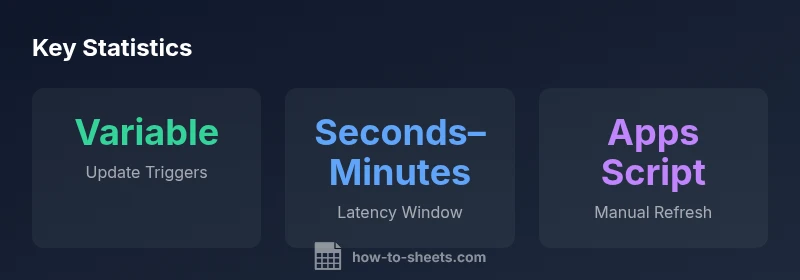
GOOGLEFINANCE updates in Google Sheets do not have a fixed interval. Updates occur when the sheet recalculates (for example after edits or when you reopen the file) and when the underlying data source changes. Since Google does not publish a guaranteed refresh rate, expect variability and plan around recalculation timing or use manual/scripted refresh for tighter control.
Why GoogleFinance update behavior matters
For anyone building dashboards in Google Sheets, the question how often does googlefinance update in google sheets is not just academic; it affects data reliability, chart refreshes, and the perceived timeliness of insights. Since GOOGLEFINANCE pulls market data from Google Finance, the update cadence interacts with how often Sheets recalculates, how you structure dependencies, and how you date-stamp data for reporting. In practice, the absence of a published update schedule means teams must plan for variability and design with intentional recalc triggers. How To Sheets emphasizes that understanding the underlying triggers helps you avoid stale numbers and misleading visuals. This section sets the stage for practical decisions about how to structure your sheet so refreshes align with reporting cycles.
How Google Sheets recalculation works
Google Sheets recalculation is driven by dependency graphs: when a cell that feeds a GOOGLEFINANCE function changes, or when a user opens the sheet, recalculation may occur. Apps Script can programmatically force recalc-like behavior, but there is no universal timer that guarantees a minute-by-minute update. The recomputation model also interacts with circular references and iterative calculations; enabling them can influence when GOOGLEFINANCE data is refreshed. Practically, you should design your formulas with clear dependencies and avoid creating unnecessary chained calculations that trigger frequent recalculations, which could unintentionally increase data fetches from Google Finance.
What triggers updates in GOOGLEFINANCE
The GOOGLEFINANCE function updates when its inputs or dependent cells recalculate and when the sheet is opened or reloaded. Market data availability also plays a role: some assets update only during market hours and may lag during off-hours. Because Google does not publish an exact refresh cadence, you should treat update timing as variable. If you need precise timing, consider using Apps Script to schedule explicit refreshes or implement a manual refresh workflow, and document the expected latency for your audience.
Practical guidance to manage refresh frequency
If your goal is reliable dashboards, implement a mix of strategies:
- Use a timestamp column next to GOOGLEFINANCE data to record when a fetch occurred.
- Build a lightweight recalculation path that avoids unnecessary recomputes; prune deep dependency trees where possible.
- Consider Apps Script triggers to explicitly fetch and cache values on a schedule or on demand.
- Encourage team members to reload the sheet when sharing updates to ensure everyone sees the latest data.
- For critical decisions, corroborate GOOGLEFINANCE data with an external data source or add-on that offers explicit refresh controls.
Common myths and best practices
Myth: GOOGLEFINANCE updates in real time. Reality: Updates depend on recalculation and data source timing. Myth: Opening the file guarantees an immediate refresh. Reality: Opening can trigger recalculation, but timing remains variable. Best practice: design around uncertainty by adding timestamps, using controlled refresh methods, and validating data against source updates. As you implement, document the expected refresh behavior for users and stakeholders.
How to verify update timing in your sheet
Create a simple logging setup: add a hidden timestamp column that updates when GOOGLEFINANCE returns new data. Compare timestamps against market hours and your own refresh actions. Use a small Apps Script to log update times to a sheet log. This makes it easier to audit and communicate the effective latency to teammates. Finally, run a few sanity checks by forcing a refresh and noting the time delta to observed data changes.
Alternatives for real-time data in Google Sheets
If you require tighter real-time data, consider alternatives such as external APIs or paid feed providers accessed via Apps Script or custom add-ons. These options can offer scheduled or event-driven refreshes beyond Sheets’ built-in recalculation. Weigh the cost, reliability, and latency against the convenience of GOOGLEFINANCE for your specific use case.
Quick reference: factors affecting GOOGLEFINANCE refresh timing
| Aspect | Update Mechanism | Typical Timing | Notes |
|---|---|---|---|
| GOOGLEFINANCE Formula | Sheet recalculation | Variable; depends on edits/opening | Data is fetched from Google Finance and subject to provider latency |
| Manual Refresh | User-initiated reload | Immediate after action | Use browser refresh or Apps Script to pull new data |
| Data Latency | Market data delay | Seconds to minutes | Real-time data is not guaranteed; expect variability |
| Data Source | Provider specifics | Latency depends on provider | Market hours and data vendor delays affect timing |
FAQ
Does GOOGLEFINANCE refresh automatically when the spreadsheet is opened?
Opening a sheet can trigger recalculation, which may fetch updated data. However, timing depends on the sheet's recalculation rules and data source availability.
Opening the sheet can trigger a refresh, but timing isn't guaranteed.
Can I control the update frequency?
There is no built-in fixed schedule in Google Sheets for GOOGLEFINANCE updates. You can control timing more reliably with Apps Script or by manually reloading the sheet.
You can’t set a built-in timer; use scripts or manual refresh.
Why does data lag sometimes?
Lag can result from market-hours data availability, provider delays, and the sheet's recalculation load. Understanding these factors helps set realistic expectations.
Data lag often comes from market hours and data source delays.
Are weekend/holiday updates affected?
Yes. Some assets have limited updates outside standard market hours, which can cause apparent pauses in data refresh.
Updates may be sparse outside market hours.
Is there a reliable way to get real-time data in Sheets?
GOOGLEFINANCE isn’t guaranteed real-time. For real-time needs, consider external APIs or add-ons with explicit refresh controls.
Real-time data may require alternatives.
“GOOGLEFINANCE in Sheets does not publish a fixed refresh rate; the timing is governed by Sheets recalculation patterns and the data source, which introduces variability into any dashboard.”
The Essentials
- No fixed update interval—recalculation drives updates
- Plan for variability in data latency
- Use manual or scripted refresh for tighter control
- Add timestamps to track when data was fetched
- Consider external data sources for real-time needs