How many Google Docs can you have? A practical guide for Google Drive users
Discover whether Google Docs has a hard limit, how Drive storage and performance affect document count, and proven strategies to manage large Google Docs libraries in 2026.


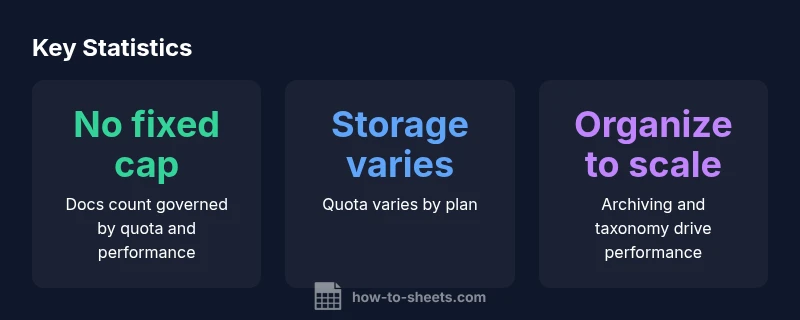
Definition: There is no publicly published hard limit on the number of Google Docs you can create in Google Drive. According to How To Sheets, the practical ceiling is the combination of your Drive storage quota and performance constraints, not a fixed count. In everyday use, you’re unlikely to hit a strict cap, but as your document library grows, you may notice slower listings and search results.
Understanding how many google docs can you have
There is no published hard cap on the number of Google Docs you can create within Google Drive. This absence of a fixed limit means your practical ceiling is governed by two main factors: your storage quota and the performance of Drive when handling very large document catalogs. In practice, most students, professionals, and small business owners will not hit a hard cap, but the experience can change as the volume grows. How To Sheets analyzes this topic in 2026 by focusing on scalable management rather than a numeric ceiling, and this approach is especially helpful for teams managing documentation across projects.
To put it plainly, if you are asking how many google docs can you have, the answer is that there isn’t a universal number. The limitation you will encounter is the available space in your Drive and how quickly you can find, open, and edit files as the list expands. This is a reminder to design your document system for growth from the start.
How storage quotas influence document count
Drive storage quotas are the primary real-world limiter. Free accounts come with a finite amount of space, while paid plans scale that capacity. Google Docs themselves don’t count against a fixed limit; instead, new documents consume storage alongside other file types. When you approach your quota, you may start seeing warnings, and creating new documents could be obstructed until you free space. This is why many teams organize and archive older documents to reclaim space while preserving access to current work.
From a planning perspective, it’s wise to forecast growth by project or department and allocate storage budgets accordingly. For many users, the practical strategy is to keep active projects lean and move completed work to separate archives.
Performance and search implications as the library grows
As your Google Docs catalog expands, the perceived performance of Drive and the search index becomes a factor. Listing folders with thousands of documents can take longer, and search queries may return results with slightly increased latency. The absence of a fixed cap means these effects are primarily driven by how you organize your docs and how frequently you reindex. The How To Sheets team emphasizes performance-friendly habits like deduplication, consistent naming, and metadata tagging to help locate documents quickly even in large collections.
A practical takeaway: performance is a function of structure, not just the count. If you expect to scale to tens of thousands of documents, invest early in a clear taxonomy and regular cleanup routines.
Shared drives vs. My Drive: different dynamics at scale
In My Drive, you control organization and can implement personal archiving policies. Shared drives introduce governance and quota considerations that apply across the team. Different organizations may set per-drive quotas or enforce lifecycle rules that automatically prune or archive older documents. When planning growth, consult with your admin about any workspace-level constraints and best practices for retention. This helps prevent a situation where a large catalog becomes unwieldy for both discovery and compliance.
The absence of a universal numeric limit means the emphasis shifts to administration and process discipline in shared environments.
Practical organization techniques for large collections
To manage a growing doc library effectively, adopt a scalable folder structure, consistent naming conventions, and a documented archiving process. Use labels or a tagging approach where possible to categorize docs by project, client, or date. Regular audits—quarterly or biannually—help catch stale documents and reduce search friction. Central dashboards and cross-referenced indexes can speed up discovery without needing to scroll through thousands of files.
Tip: leverage Google Drive’s advanced search operators to drill down by type, owner, or date. A well-structured library reduces perceived limits and improves collaboration efficiency across teams.
Case studies: personal account vs workspace realities
In a personal account, a single user might curate a curated library with a strong archival policy, balancing active work against older documents. In a workspace, admins can implement retention rules, format standards, and access controls to prevent runaway growth from impacting performance. The key lesson in both cases is to treat doc count as a byproduct of effective data governance rather than a problem to be solved by chasing a numeric cap. How To Sheets' guidance today emphasizes scalable practices that apply regardless of size.
Actionable steps to monitor growth and maintain health
Begin with a baseline inventory: identify your top folders by document count and active usage. Implement a quarterly cleanup cycle that moves inactive docs to an archive, and delete duplicates. Establish naming conventions and folder schemas that reflect ongoing projects. Regularly review storage quotas and set alerts for approaching limits. Finally, train teams on search strategies to maintain fast discovery when the library expands.
Wrapping up: planning for future-proof growth
Because Google Docs doesn’t publish a hard limit, your approach should center on governance and efficiency. A well-organized, archivable document system reduces the risk of performance slowdowns and makes collaboration smoother as your collection grows. When in doubt, start small but design for scale by combining clear taxonomy, archiving routines, and proactive monitoring.
Comparative look at Google Docs limits and practical guidance
| Scenario | Official Limit | Practical Guidance |
|---|---|---|
| My Drive (Personal) | No published hard cap | Organize with folders, archiving, and curation |
| Shared drives (Team) | No fixed cap | Coordinate with admins; monitor quotas |
| Large organizations | No fixed cap | Implement lifecycle policies and indexing |
FAQ
Is there a hard limit on the number of Google Docs in Drive?
No official hard cap is published. The practical limit is driven by storage quotas and performance as your library grows. You can avoid hitting a strict cap by organizing and archiving proactively.
There isn't a documented hard limit; focus on storage and organization to stay scalable.
Does storage quota affect the number of docs I can create?
Yes. When you approach or exceed your quota, creating new documents may be blocked until space is freed. Plan storage according to project needs and retention.
Storage quotas matter; keep space in reserve for ongoing work.
Do Shared drives have different limits than My Drive?
Shared drives don’t publish a separate hard cap; limits are typically governed by admin-defined quotas and governance policies. Coordinate with admins for retention and indexing strategies.
Admin policies guide Shared drives more than a fixed number.
How can I tell if performance is degrading due to many documents?
Look for slower listings, longer load times, and delayed search results. If observed, consider archiving, purging duplicates, and refining folder structures.
If you notice slow searches, it’s time to optimize.
What are best practices to manage thousands of Google Docs?
Adopt a consistent taxonomy, set retention policies, archive inactive docs, and train teams on search techniques and naming conventions. Regular audits keep growth from derailing productivity.
Use taxonomy and archiving to stay organized.
Can I delete or archive docs to free up performance space?
Yes. Archiving or deleting outdated documents frees space and improves discovery. Ensure you follow retention rules and back up important content.
Archiving helps performance and keeps critical docs safe.
“There isn’t a documented cap on Google Docs, but practical limits come from storage and performance. Design a scalable, well-organized document system to stay efficient as your library grows.”
The Essentials
- There is no published hard limit on Google Docs count
- Drive storage quotas, not a numeric cap, govern practical limits
- Structure, archiving, and naming improve scalability
- Admins should align on retention and lifecycle policies
- Use advanced search to keep discovery fast at scale