YNAB vs Google Sheets Reddit: Budgeting Showdown 2026
An analytical comparison of YNAB and Google Sheets for budgeting, informed by Reddit discussions and How To Sheets insights. Learn which tool fits your workflow, data needs, and collaboration style.


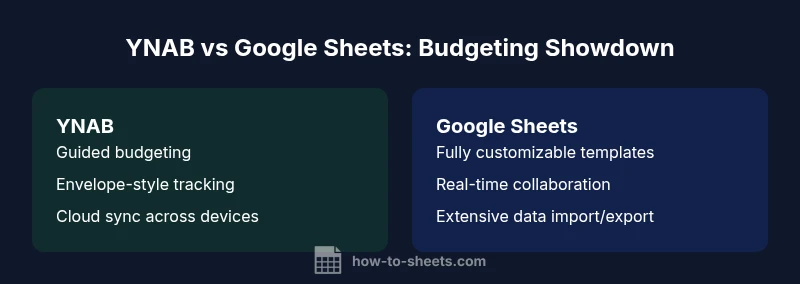
YNAB vs Google Sheets Reddit discussions reveal a split: Sheets wins for freeform, highly customizable budgeting workflows and easy collaboration, while YNAB wins for guided budgeting, envelope-style tracking, and real-time expense insights. This quick take previews the key trade-offs and sets up a practical, decision-focused comparison you can apply to your own budgeting needs. How To Sheets highlights core considerations like workflow complexity, data control, and team dynamics to help you decide.
Reddit Barometer: YNAB vs Google Sheets Reddit
Across countless threads on Reddit, the ynab vs google sheets reddit question surfaces as a practical crossroads for budgeters. The conversations often center on three themes: control vs simplicity, cost vs value, and how easily a tool can scale with changing financial priorities. Readers share real-world stories—some budget with strict envelopes, others with flexible line items and live collaboration. According to How To Sheets, these discussions reflect actual workflow trade-offs rather than abstract feature lists, and they underscore the need to map your personal or team budgeting processes to the capabilities of a given tool. This article distills those threads into concrete criteria you can apply to your own budgeting setup, with a focus on practical steps and templates.
Core Strengths of YNAB
YNAB builds its value on structure and discipline. It guides users through envelope-style budgeting, auto-categorization of expenses, and proactive alerts that help prevent overspending. For households or teams with predictable spending patterns, YNAB’s design reduces cognitive overhead by suggesting where to cut back and how to adjust priorities. Its syncing across devices ensures consistency for shared budgets, and the built-in reporting highlights spending trends without extra configuration. For readers seeking a “set it and forget it” budgeting rhythm, YNAB offers a compelling, opinionated workflow that minimizes manual data wrangling and emphasizes forward planning.
Core Strengths of Google Sheets for Budgeting
Google Sheets shines when you want total freedom to customize every line item and formula. It supports limitless layout options, bespoke categories, and ad-hoc analyses with powerful functions. Real-time collaboration allows teams to build and edit budgets together, with comments and revision history to track changes. For users who already rely on spreadsheets for other workflows, Sheets can become a unified budgeting hub that ties into other data sources via imports, Apps Script automation, or connected dashboards. The result is a malleable toolkit that adapts to changing needs, from simple monthly budgets to complex multi-currency forecasts.
Use-Cases Where YNAB Shines
YNAB excels in scenarios where structure and consistency matter most. If your priority is consistent habit formation, debt payoff planning, and predictable expense tracking, YNAB’s envelopes and rule-based updates provide a clear path forward. It’s particularly strong for individuals or small teams who want a budgeting system that guides behavior rather than leaves it to manual templating. When you need automatic categorization, a centralized budget in a dedicated app, and robust mobile support, YNAB reduces the mental overhead of budgeting and keeps everyone aligned with the same framework.
Use-Cases Where Sheets Shines
Sheets is ideal when you require maximum customization, data integration, and granular control over every field. If your budget includes unusual line items, non-traditional categories, or import-heavy workflows (e.g., pulling transactions from multiple banks or accounting systems), Sheets is the more adaptable option. Its flexible templates, coupled with scripting and add-ons, allow teams to tailor dashboards, alert logic, and variance analyses. For collaborations that demand live editing and comment-driven workflows, Sheets enables rapid iteration without vendor lock-in.
Costs, Pricing, and Value Considerations
Pricing often drives the decision between these tools, especially for students, freelancers, or small teams. YNAB adopts a subscription model and charges per user, which provides ongoing updates, support, and cloud syncing. Google Sheets, by contrast, is free at the consumer level (with workspace-enabled features for paid plans). For teams concerned about recurring costs, Sheets can be far more economical, assuming you don’t require the stricter budgeting controls and envelope-based guidance YNAB provides. If your budget needs scale, you should weigh per-user costs, storage limits, and the value of automation features in each ecosystem.
Data Portability: Moving Budget Data Between Platforms
Portability is a practical consideration for organizations that may switch tools. YNAB supports importing and exporting budgets, typically through CSV, but the experience is designed around its budgeting framework rather than open data structures. Sheets, on the other hand, excels at universal data portability: CSV, Excel, and API-driven imports are straightforward, and you can connect Sheets budgets to external data sources with scripts or add-ons. If you anticipate needing to migrate data frequently or work with analysts who rely on standard formats, Sheets offers a lower-friction path for data movement.
Collaboration, Narrative, and Reddit Culture
Reddit users place a premium on collaboration that does not complicate day-to-day budgeting. Sheets delivers real-time collaboration, comments, and version history that are familiar to teams already comfortable with spreadsheets. YNAB can support shared access, but its collaboration model is more targeted toward pairs or small groups who adhere to a specific budgeting process. For teams that value transparency and in-context discussions around the budget, Sheets often wins on collaboration while YNAB wins on process discipline.
Privacy, Security, and Trust in Budget Tools
Privacy and security considerations matter when budgeting data includes sensitive spending information. YNAB stores data in its cloud environment with its own security posture, while Sheets data lives in Google’s cloud and benefits from Google’s security suite and access controls. Both approaches have strengths and trade-offs; user trust often hinges on how well you control access, data retention, and audit trails. If you manage highly sensitive financial data, you may prioritize vendor transparency and granular permissioning, regardless of which tool you choose.
Recreating YNAB Workflows in Google Sheets: Step-by-Step
To replicate a guided budgeting workflow in Sheets, start with a structured template that mirrors YNAB’s envelopes and categories. Create a master ledger, define categories, and implement data validation to constrain inputs. Add automated checks (e.g., conditional formatting for overspending) and build a monthly rollover system using formulas. Enhance with a simple income-tracking section and a dashboard that visualizes spending against targets. The key is to capture the discipline of YNAB without losing Sheets’ flexibility.
Recreating Sheets Workflows in YNAB: Step-by-Step
Translating a Sheets-style budget into YNAB requires mapping custom columns to YNAB’s category system and envelopes. Begin by importing transactions, then create budget categories aligned with your Sheets templates. Establish rules for recurring expenses, set goals, and enable alerts for deviations. You’ll gain stronger discipline around budgeting while preserving the ability to review trends via YNAB’s built-in reports. If you rely on complex formulas in Sheets, replace them with YNAB’s budgeting rules and reports.
Decision Framework: When to Choose YNAB vs Sheets
Ask yourself three questions: Does your budgeting require structured envelopes and automatic tracking? Is real-time collaboration and flexible templating a higher priority than strict discipline? Do you expect to need extensive data imports/exports or APIs? If you answer yes to the first two, YNAB is strong. If the last question is decisive, Sheets offers a more adaptable, data-centric approach. Use a pilot budget in each tool to compare ease of use, data control, and team adoption before committing long-term.
Comparison
| Feature | YNAB | Google Sheets (budget templates) |
|---|---|---|
| Learning curve | Moderate (guided budgeting) | Low to moderate (spreadsheet basics) |
| Automation & rules | Built-in budgeting rules, envelopes, and auto-tracking | Formulas and Apps Script for custom automation |
| Collaboration & sharing | Limited real-time collaboration (primarily individual budgets) | Real-time collaboration with comments and multiple editors |
| Data export/portability | CSV export and import to maintain budgeting structure | CSV/Excel formats with easy data movement |
| Cost/value | Subscription-based pricing (per user) | Free to use at consumer level; workspace adds features |
| Best for | Structured budgeting, automatic tracking, and consistency | DIY budgets, templates, and broad sharing |
The Good
- Low upfront cost with Sheets budgeting templates
- Flexible, customizable budgeting workflows in Sheets
- Real-time collaboration and sharing with Google accounts
- YNAB offers structured budgeting and proactive tracking
The Bad
- Sheets requires ongoing setup and maintenance
- YNAB requires a subscription for full functionality
- Data portability can be uneven when moving between platforms
- Advanced automation in Sheets may require scripting
YNAB for guided budgeting; Sheets for flexible templates
If you need structure and automatic tracking, choose YNAB. If you want DIY budgets and broad collaboration, choose Sheets. How To Sheets recommends piloting both tools to map budgeting needs to data privacy and workflow preferences.
FAQ
What are the main differences between YNAB and Google Sheets for budgeting?
YNAB provides a guided budgeting approach with envelopes and automatic transaction tracking. Google Sheets offers flexible, customizable budgets driven by formulas and real-time collaboration. The best choice depends on whether you want structure or DIY flexibility.
YNAB gives you a guided budgeting system with envelopes, while Sheets lets you build your own budgets with formulas; your choice depends on whether you want a built-in process or total customization.
Can I import data from YNAB into Google Sheets?
There are export options from YNAB, typically CSV, which you can import into Sheets for further analysis. You’ll trade seamless integration for greater customization in Sheets.
Yes, you can export from YNAB to CSV and import into Sheets for custom analysis.
Is Google Sheets enough for personal budgeting, or do I need YNAB?
For some users, Sheets is sufficient with tailored templates. If you prefer guided budgeting and automated envelopes, YNAB adds value. Your comfort with manual setup and maintenance will guide the decision.
Sheets can work well for many people, but if you want built-in budgeting structure, YNAB might be worth it.
How does real-time collaboration differ between the two?
Sheets excels at real-time collaboration with multiple editors and comment threads. YNAB supports sharing, but its collaboration model centers on a single budgeting workflow rather than concurrent editing.
Sheets shines for live teamwork; YNAB focuses more on individual budgeting with shared budgets.
What do Reddit users typically say about costs?
Reddit discussions often weigh Sheets as cost-effective due to free access at the consumer level, while acknowledging YNAB’s ongoing subscription in exchange for budgeting structure and support.
Reddit notes Sheets is cheaper upfront; YNAB costs are the trade-off for guided budgeting.
Should a budget-conscious team avoid subscriptions entirely?
Not necessarily. If the team benefits from automation and structure, a subscription like YNAB can save time and reduce errors. For purely flexible workflows, Sheets avoids recurring fees.
If a team needs structure, a budgeting tool with a subscription can pay off over time.
The Essentials
- Define budgeting complexity before choosing.
- Prioritize data privacy and ownership in tool selection.
- Leverage templates to accelerate setup and adoption.
- Use Sheets for collaboration; choose YNAB for structure and envelopes.
- Monitor Reddit workflows to surface practical tips and edge cases.