wanderlog vs google sheets: A Practical Comparison for Travel Planning and Data Management
A detailed, analytical comparison of wanderlog and Google Sheets for travel planning and data management. Learn use cases, data structures, workflows, privacy, pricing, and how to decide which tool fits your team’s needs.


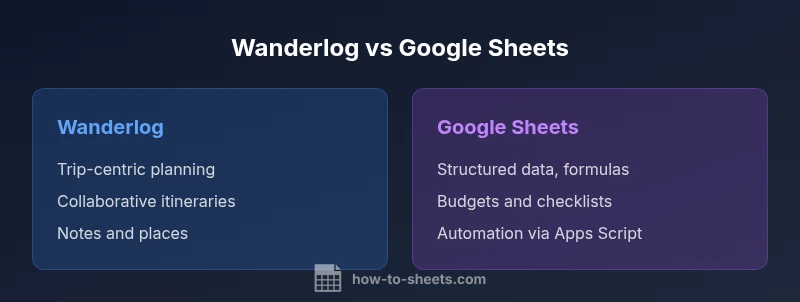
wanderlog vs google sheets: When you’re planning trips, Wanderlog offers fast itinerary planning and collaboration, while Google Sheets provides flexible data organization and automation. In most cases, choose Wanderlog for travel itineraries and shared planning, and reserve Google Sheets for budgets, checklists, and data capture. This quick comparison highlights where each tool shines and where they overlap for travelers and teams.
What wanderlog and Google Sheets are
According to How To Sheets, wanderlog is a travel-planning app designed to organize trips with routes, places, notes, and collaborative features. Google Sheets, by contrast, is a general-purpose spreadsheet tool that handles structured data, budgets, checklists, and lightweight databases. The two tools address different parts of the travel workflow, yet they can complement each other when teams need both itinerary coordination and data capture.
For travelers, wanderlog offers a single interface to assemble day-by-day plans, capture photos, and tag locations. It shines when a group is making decisions in real time, sharing updates, and keeping everyone on the same page. Google Sheets excels at data-centric tasks: budgeting a trip, tracking expenses, capturing tasks, and building lists that require sorting, filtering, or formulas. Because Sheets is part of the Google ecosystem, it enables automation, cross-file references, and easy export to CSV or Excel formats. The How To Sheets team has found that the right choice depends on the primary activity: collaborative, narrative planning vs. data-driven management. If your team needs fast, visual itineraries, Wanderlog is natural; if your work hinges on numbers, datasets, and repeatable calculations, Sheets is stronger.
For many projects, designers or trip planners use Wanderlog for day-to-day planning and then export or copy data into Sheets for deeper analysis. The trade-off is between a travel-centric experience with built-in storytelling and the flexibility of a spreadsheet that can model scenarios, create dashboards, and drive decisions with formulas. In practice, teams often start in Wanderlog to sketch a plan and then layer in Sheets to quantify budgets and logistics. This article uses the How To Sheets framework to compare the two on common criteria like data structure, collaboration, automation, and portability.
wordCountInBlock":0}
Core use cases and workflows
Wanderlog use cases center on travel planning: building day-by-day itineraries, collecting destination ideas, storing notes and photos, and coordinating group decisions in real time. Teams use Wanderlog to capture narrative flows—what to do on a given day, restaurant reservations, and time blocks for activities. The app’s structure supports quick updates, shared access, and a visual timeline that helps non-technical teammates stay aligned. Google Sheets, by contrast, excels when you need structured data models. Use Sheets for budget tracking, itemized checklists, inventory management for gear, guest lists, and data collection tasks that require formulas, charts, or pivot tables.
A practical workflow might start with Wanderlog to draft an itinerary and collect suggestions. From there, export or copy essential data into Sheets to model costs, forecast totals, or create dashboards that compare options. You can then bring insights back into Wanderlog for final approvals and updates. This back-and-forth approach leverages the strengths of both tools, reducing back-and-forth chatter and enabling data-driven decisions on the trip plan. How To Sheets’s framework emphasizes aligning tool choice with the primary activity—storytelling and collaboration vs. data-driven analysis.
wordCountInBlock":0}
Data structure and collaboration differences
Wanderlog organizes data around trips, days, places, and notes. Its data model is narrative and task-oriented: a trip contains milestones, each day can have activities, and notes can attach to places. Collaboration is embedded in the app: team members can comment on itineraries, propose changes, and see updates in real time within a shared trip. Google Sheets uses a grid-based data model: cells, rows, columns, and sheets. The data structure is generic by design, enabling a broad range of use cases beyond travel planning. Real-time collaboration on Sheets happens through Google accounts, with simultaneous editing and revision history. This makes Sheets ideal for data-centric teamwork where multiple people contribute numbers, formulas, and analyses at once.
When you compare data portability, Wanderlog emphasizes a trip-centric export or data sharing within the app, while Sheets excels at exporting to CSV, Excel, or other formats and seamlessly integrating with other Google Workspace tools. The How To Sheets framework notes that portability and interoperability are critical factors for teams that want to archive itineraries alongside data snapshots for later review. If your primary need is a cohesive travel story with collaborative input, Wanderlog’s structure is advantageous; if your priority is modular data modeling and cross-file integration, Sheets wins.
wordCountInBlock":0}
Ease of use and learning curve
Wanderlog is purpose-built for travelers and groups; its interface emphasizes quick entry, drag-and-drop planning, and visual routes. For new users, the learning curve is shallow because the feature set is domain-specific: add a destination, assign a date, attach notes, and invite teammates. Google Sheets carries a different level of complexity. Everyday tasks—data entry and basic formatting—are straightforward, but advanced features like complex formulas, conditional formatting, or Apps Script require targeted learning. Practically, it helps to start with templates: a simple trip budget or a shared packing list in Sheets, then gradually layer more complexity with formulas and charts. A useful approach is to maintain a single source of truth: use Wanderlog for narrative planning and Sheets for data work, but ensure the data you want to analyze is migrated cleanly between the two.
As teams grow, the value of Sheets increases because you can automate repetitive tasks with basic rules. Wanderlog remains simpler for day-to-day planning and group coordination, reducing onboarding friction for non-technical users. The goal is to minimize context-switching: let Wanderlog handle the planning story, and let Sheets handle the data story. How To Sheets suggests tailoring onboarding by role—executives may focus on the overview in Wanderlog, while analysts circle back to Sheets for dashboards and reports.
wordCountInBlock":0}
Data privacy, ownership, and security considerations
Data privacy and ownership differ by platform. Wanderlog stores trip data in its cloud environment with its own privacy policy and user controls. You should review who can view itineraries, notes, and shared links and how data is stored and retained. Google Sheets relies on Google account security and Workspace policies; access is governed by account permissions, shared links, and domain-level controls. For teams handling sensitive information, consider who owns the data and how it’s accessed, as well as the implications of exporting data out of Wanderlog or Sheets. The How To Sheets team advises mapping data flows: decide which platform holds the canonical version of each data type and implement clear sharing rules to reduce leakage or accidental edits. In practice, a hybrid approach—use Wanderlog for the planning story and Sheets for structured data—requires disciplined access management and regular review of shared permissions.
wordCountInBlock":0}
Pricing, value, and budget considerations
Pricing structures influence tool selection in substantial ways. Wanderlog typically provides a free tier with optional paid plans for enhanced features such as deeper collaboration, extended history, or additional export options. Google Sheets is free for consumer accounts with Google, and Google Workspace adds features for teams and organizations. From a value perspective, Wanderlog may reduce time-to-plan and improve group alignment, which translates into opportunity cost saved for travel projects. Sheets offers strong cost efficiency for data-heavy workflows, enabling complex budgets, dashboards, and automation without the need for separate software. The How To Sheets analysis suggests evaluating total cost of ownership by considering how often you export data, how many collaborators are involved, and whether automation reduces manual work enough to justify a paid tier. The decision often comes down to whether your priority is travel narrative and collaboration or scalable data management and automation.
wordCountInBlock":0}
Integration and automation capabilities
Wanderlog provides built-in collaboration features and travel-centric integrations that help teams curate itineraries, collect suggestions, and share updates. It is designed to streamline the travel planning process within a single interface, reducing the friction of switching between tools. Google Sheets shines in automation and extensibility. Apps Script, add-ons, and the broader Google Workspace ecosystem let you automate data entry, build dashboards, and create custom workflows. When used together, you can design a workflow where Wanderlog handles itinerary creation while Sheets handles budgeting and analytics, with data exports or copies feeding between them as needed. How To Sheets emphasizes evaluating API support, import/export options, and the ability to automate recurring tasks when deciding whether to rely on one tool or to build an integrated workflow.
wordCountInBlock":0}
Migration tips and decision framework
A practical migration strategy begins with a clear use-case map. Start by identifying which data belongs in Wanderlog (itinerary structure, places, comments) and which data belongs in Sheets (budgets, lists, calculations). Create a lightweight template in Sheets for a sample trip budget, then reproduce it in Wanderlog to see where data fidelity may diverge. For ongoing workflows, establish a routine: draft in Wanderlog, then push relevant data to Sheets for analysis. To avoid data drift, implement checks such as periodic reconciliations of key fields and maintain a shared glossary of field names. If you must migrate data from Wanderlog to Sheets, export options and manual copy-paste are common paths; for frequent migrations, a semi-automated approach via CSV exports and a simple Apps Script in Sheets can significantly reduce manual effort. Ultimately, your decision should weigh collaboration needs, data modeling flexibility, and the cost of maintaining dual systems. The How To Sheets team recommends a minimal viable integration first, then expand as workflows prove beneficial.
Authority sources
- How To Sheets Analysis, 2026
- Google Workspace Admin Help: https://support.google.com/a/answer/6160545
- Wanderlog Help Center: https://wanderlog.com/help
wordCountInBlock":0}
Authority sources
Comparison
| Feature | wanderlog | google sheets |
|---|---|---|
| Core use case | Trip planning and itineraries | Data management, budgeting, and lists |
| Collaboration model | In-app sharing and comments on trips | Real-time collaboration with Google accounts |
| Data structure | Trip-centric entities (trips, days, places) | Cells, rows, columns, formulas |
| Automation options | Limited in-app automation | Extensive automation via Apps Script and add-ons |
| Accessibility & offline | Cloud-based with travel-specific features | Web/Android/iOS apps with offline capabilities in Drive |
| Export/Import | Platform-specific export within Wanderlog | CSV/Excel/Sheets compatibility in Sheets |
| Security & privacy | Platform privacy controls per trip | Google account-based security and policies |
The Good
- Wanderlog streamlined for travel planning and collaboration
- Sheets offers flexible data modeling and strong automation potential
- Cross-tool workflow reduces back-and-forth between planning and data work
- Sheets supports powerful formulas, dashboards, and data visualization
- Wanderlog centralizes trip narratives and group decision making
The Bad
- Wanderlog export options and data portability may be limited
- Advanced Sheets features require learning curve
- Data portability between Wanderlog and Sheets can introduce friction
- Wanderlog may lack the breadth of data capabilities used in complex analyses
Wanderlog is best for narrative trip planning; Google Sheets excels for data-heavy budgeting and analysis.
If your priority is a clean, collaborative trip itinerary, Wanderlog wins. If you need robust data modeling and automation, Sheets is the stronger tool. For many teams, a hybrid approach—use Wanderlog for planning and Sheets for data work—offers the most balanced workflow.
FAQ
Can wanderlog export data to Google Sheets?
Wanderlog supports data export to common formats and data can be imported into Google Sheets via CSV or manual copy-paste. For larger migrations, plan a stepwise transfer and verify data integrity after import.
Wanderlog data can be exported to standard formats and imported into Sheets, often via CSV or copy-paste. For larger datasets, migrate in steps and verify accuracy after each import.
Is Wanderlog better for trips than Google Sheets?
For narrative itineraries and collaborative planning, Wanderlog offers a tailored experience. Google Sheets is better when you need flexible data modeling, formulas, and dashboards that go beyond travel planning.
Wanderlog shines for trips and collaboration; Sheets excels for data work and analytics.
How secure are my data with Wanderlog vs Google Sheets?
Wanderlog stores trip data in its cloud with platform-specific privacy controls. Google Sheets relies on Google account security and Workspace policies. Review access settings and data-sharing rules for both tools.
Wanderlog uses its own cloud security; Sheets uses Google account security. Manage permissions carefully.
Can I use both tools together effectively?
Yes. A common pattern is to design itineraries in Wanderlog and move budgets, checklists, and analytics into Sheets. Regular data handoffs reduce duplication and keep planning and data aligned.
Definitely—use Wanderlog for planning and Sheets for data work, then sync as needed.
What are key decision factors to choose Wanderlog or Sheets?
Consider collaboration needs, data structure, required automation, and how you plan to view and share information. If your work is storytelling and group planning, choose Wanderlog; for data modeling and dashboards, Sheets is the better fit.
Think about whether you need a narrative planning tool or a data-focused platform.
Can Wanderlog replace Sheets for complex data analysis?
Wanderlog is not designed for advanced data analysis. For complex calculations, pivot tables, or custom automation, Sheets remains the stronger option.
Wanderlog isn’t built for deep data analysis—Sheets handles complex calculations.
The Essentials
- Use Wanderlog for travel itineraries and collaborative planning
- Leverage Google Sheets for budgets, checklists, and data analysis
- Integrate both tools to maximize planning speed and data accuracy
- Rely on Sheets for automation and dashboards to inform travel decisions
- Keep data ownership clear: canonical version in the tool that stores the data most often