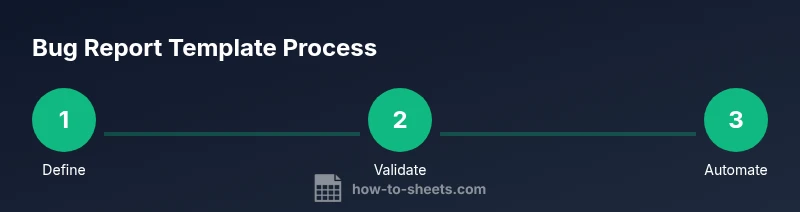
Bug Report Template Google Sheets: Step-by-Step Guide
Learn to build a reusable bug report template google sheets that standardizes issue tracking, captures essential fields, and visualizes progress with a lightweight, shareable dashboard.


In this guide you’ll learn to create a bug report template google sheets that standardizes issue tracking from discovery to resolution. You’ll build a data-entry sheet, a lightweight dashboard, and sharing controls in a single Google Sheets file, plus practical examples for teams of any size.— from layout choices to governance rules.
Why a bug report template google sheets matters
A well-structured bug report template google sheets helps teams standardize issue tracking across projects. By embedding a repeatable schema in Google Sheets, teams can capture every important detail—from the initial report to final resolution—without ad-hoc notes. The How To Sheets team has analyzed common workflows and found that standardized templates reduce triage time and miscommunication. When your template is shared in a single Google Sheets file, new contributors can onboard quickly, and managers gain a consistent data source for status updates and decision-making. The keyword bug report template google sheets appears naturally here as the foundation for scalable QA workflows and collaborative debugging. This approach supports both small teams and larger organizations that require auditable traces for compliance and audits.
Essential elements to include in your template
A robust bug report template google sheets should capture a concise summary, a detailed description, and a clear set of steps to reproduce. Core fields include: ID, Title, Description, Steps to Reproduce, Environment, Severity, Priority, Status, Reporter, Date Created, Date Resolved, and Attachments. Use a separate sheet for attachments or links to screenshots. Maintain consistency with controlled vocabularies for Severity and Status, and add checkboxes for “Reproduced” or “Resolved” as appropriate. By enforcing standardized fields, your team can filter, sort, and analyze issues more efficiently, speeding up root-cause analysis and remediation. The template should be adaptable for different projects while preserving a common data model, so teams can aggregate data across sprints and releases.
Designing the layout in Google Sheets
Layout decisions make or break the usability of a bug report template google sheets. Start with a raw entry sheet (for new bugs) and a dashboard sheet (for summaries). Use data validation to constrain fields like Severity (Low/Medium/High) and Status (Open/In Progress/Resolved/Closed). Implement a few helper columns for quick counts or status flags. Named ranges simplify formulas and make the sheet portable between projects. While designing, keep end users in mind: non-technical teammates appreciate clear labels, consistent terminology, and fast filters. How To Sheets analysis shows that clean, consistent templates drive adoption and reduce training time for new users.
Formulas and automation that save time
Even a basic bug report template google sheets can offer powerful automation. Use COUNTIF and COUNTIFS to surface open issues by severity, or FILTER to create a live list of bugs assigned to a person. A simple VLOOKUP or XLOOKUP can pull project metadata from a separate sheet, ensuring the report stays up to date. Conditional formatting highlights high-priority items, making dashboards visually scannable. You can also set up a basic script to timestamp new entries or to export a summary to CSV for external sharing. Keep automations lightweight to minimize maintenance and avoid breaking changes.
Governance, sharing, and security considerations
Sharing a bug report template google sheets with the right permissions is crucial. Prefer Editor access for core maintainers and Viewer or Commenter for stakeholders who only need to review. Consider creating a read-only dashboard to prevent accidental edits. Regularly review access lists and enable version history so you can roll back changes if needed. When dealing with sensitive environment details, avoid exposing passwords or credentials in the Notes field; use environment notes instead. These governance practices help protect data integrity while keeping collaboration fluid.
Practical templates and customization for teams
Adapt the template to fit your team size and project scope. Start with a standard set of fields and add project-specific columns as needed (e.g., Product, Module, or Sprint). Create templates for different report types (bug, feature request, or test failure) and maintain a single source of truth by linking to a central master sheet. Include a quick-start checklist for new contributors and a set of example entries to demonstrate expected data quality. This flexibility keeps the template relevant as your QA processes evolve.
Next steps: turning the template into a reusable template file
To maximize reuse, save the setup as a template file within your organization’s Google Drive. Create a copy for each project, and link the copy to a shared dashboard. Periodically review the template against real-world usage, solicit feedback from teammates, and update drop-down options or field definitions as needed. With thoughtful maintenance, a bug report template google sheets becomes a scalable backbone for your issue-tracking workflow. The How To Sheets team recommends treating this as a reusable template across projects.
Tools & Materials
- Google account with Google Sheets access(Needed to create, share, and collaborate on the template)
- Google Sheets (web or mobile app)(For editing formulas, data validation, and dashboards)
- Predefined data validation lists(Drop-down options for Severity, Status, and Environment)
- Test data or sample bugs(Helpful for testing the template before rollout)
- Optional Apps Script (basic)(For timestamping or simple automation)
Steps
Estimated time: 60-90 minutes
- 1
Define sheet structure
Decide on the main entry sheet and a separate dashboard sheet. Sketch the essential columns and the user-facing labels before typing anything.
Tip: Keep the layout simple; baroque designs slow data entry. - 2
Add core columns
Create fields like ID, Title, Description, Steps to Reproduce, Environment, Severity, Status, Reporter, Date Created, and Date Resolved. Include a Reproduced checkbox if possible.
Tip: Use consistent column ordering to ease filtering. - 3
Implement data validation
Set drop-down lists for Severity and Status to enforce consistency. Add checks for required fields using conditional formatting.
Tip: Validate entries at the point of data entry to reduce cleanup later. - 4
Populate a sample row
Enter a representative bug to test the workflow. Fill each field and save the row to confirm the template captures all details.
Tip: Sample data helps catch edge cases early. - 5
Create a dashboard tab
Build a lightweight summary with counts by severity and status. Use FILTER and COUNTIF to pull live data from the main sheet.
Tip: Dashboards should update automatically when data changes. - 6
Set sharing and permissions
Share the file with teammates, assign editor rights to core maintainers, and set view-only access for stakeholders.
Tip: Limit editors to trusted users to protect data integrity. - 7
Enable version history
Ensure Google Sheets version history is on and communicate how to restore previous versions if needed.
Tip: Regular backups prevent data loss during edits. - 8
Document maintenance plan
Write a short guide within the sheet or a separate doc describing field definitions and governance rules.
Tip: When in doubt, add notes in the template for future editors.
FAQ
What is a bug report template google sheets?
It is a structured form in Google Sheets used to capture, track, and resolve software bugs. It standardizes fields like description, steps to reproduce, environment, severity, and status.
A bug report template in Google Sheets helps teams log issues consistently.
Which fields should be included?
Include ID, Title, Description, Steps to Reproduce, Environment, Severity, Priority, Status, Reporter, Date Created, Date Resolved, and Attachments or links.
Include these fields to ensure reproducibility and traceability.
How can I enforce data consistency?
Use data validation with drop-down lists for Severity and Status, and apply conditional formatting for missing fields.
Validation keeps data uniform across entries.
Can I share the template with non-Google users?
Yes, you can share via a link or export options; control permissions to protect data.
Yes, you can share and export as needed.
How do I export bug reports?
Export to CSV or Excel and use the live dashboard in Sheets for ongoing visibility.
Export options are straightforward.
Is this template suitable for multiple projects?
Yes—add a Project column or create separate sheets and link to a central dashboard.
You can scope it to multiple projects.
Watch Video
The Essentials
- Define a consistent schema for bug reports.
- Use drop-downs to enforce data integrity.
- Build a lightweight dashboard for quick insights.
- Share with appropriate permissions and maintain history.