How to Create an Internship Application Tracker in Google Sheets
Learn how to track internship applications in Google Sheets with a ready-to-use template, data validation, reminders, and dashboards to stay organized throughout your search.


Why an Internship Tracker Pays Off
Many students, recent graduates, and professionals find that a systematic approach to applying for internships increases both efficiency and confidence. An internship application tracker google sheets gives you a single source of truth for every role, company, deadline, and follow-up. It compels you to capture every step—from initial submission to a post-interview thank-you note—so you never lose track. According to How To Sheets, starting with a simple template and gradually layering automation yields the best balance between control and flexibility. The benefits go beyond memory: you create a repeatable process you can reuse for internships in any field, summer programs, or graduate fellowships. With a tracker, you can set reminders, monitor status, and visualize your progress at a glance. This reinforces discipline during a busy job search, reduces stress, and helps you stay proactive rather than reactive. By investing a little time upfront, you build a dependable system you can reuse across multiple applications and years. For students, professionals, and small teams, that consistency translates into higher odds of timely follow-ups and stronger overall outcomes.
Core Data Model: What To Track
A practical internship tracker starts with a core data model that captures the essential elements of each application. At minimum, you should track: Role/Title, Company, Link to Job Posting, Date Applied, Deadline, Status, Follow-Up Date, Interview Date, Contact, Notes, and Last Updated. Each field serves a purpose: dates help you meet deadlines, Status keeps you aligned with next actions, and Notes hold context from emails and interviews. You can add optional fields like Source (LinkedIn, Referral) and a Priority level to help you triage your workload. Keep the data types consistent (text for names, dates for milestones, and a dropdown for statuses) so you can sort, filter, and summarize with confidence. This data model is flexible enough to be extended with additional applications or reorganized for different roles or industries. A well-structured model makes it easy to share progress with mentors or a school career center when you need guidance.
Design a Google Sheets Template: Layout and Data Validation
The template should present a clean, scalable layout that’s easy to scan at a glance. Start with a header row that defines each field: Role/Title, Company, Job Posting Link, Date Applied, Deadline, Status, Follow-Up Date, Interview Date, Contact, Notes, and Last Updated. Beneath the header, maintain a consistent data row for each application. Use data validation to create dropdowns for Status (e.g., Not Started, Applied, Under Review, Interview, Offer, Rejected, Followed Up) and for Priority (Low, Medium, High). Apply date formats to Date Applied, Deadline, and Follow-Up Date, so you can rely on chronological sorting. Implement conditional formatting to highlight near-deadline items (e.g., deadlines within seven days) in a distinct color, and set a different color when an application is marked as Followed Up or Interview Scheduled. For the Job Posting Link column, set the cell format to hyperlink so you can click through directly. Finally, reserve a hidden sheet for formulas and a visible dashboard sheet for quick insights. This design keeps the tracker approachable while retaining powerful sorting and filtering capabilities.
Automations: Reminders, Conditional Formatting, and Form Submissions
Automation is where a Google Sheets internship tracker truly shines. Use built-in data validation to enforce consistent entries, which makes filtering and analytics far more reliable. Set up conditional formatting so any deadline within a set window is highlighted in a warning color, while completed applications get a neutral tone. To automate reminders, you can use simple Google Apps Script to email you or a mentor when a deadline is approaching or when the Status changes to Followed Up. If you collect submissions via a form, link the form to your tracker so new applications flow in automatically. You can also create a lightweight dashboard that summarizes counts by Status, shows a timeline of upcoming deadlines, and displays a quick progress gauge for your current search. These automations help you stay on top of deadlines without manual tracking and reduce the mental load of a long internship hunt.
Step-by-Step Setup: Create, Populate, and Test
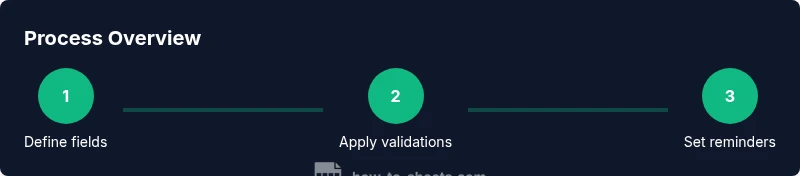
- Create a new Google Sheet and name it “Internship Applications Tracker” to keep your workspace organized. 2) Add the core fields as columns with clear headers and consistent date formats. 3) Implement data validation for Status and Priority fields to ensure consistency. 4) Add conditional formatting to highlight upcoming deadlines and status changes. 5) Create a summary dashboard with counts by status and a calendar-like view for deadlines. 6) Test the template by simulating 4–6 sample applications and adjust field types and formatting as needed. Pro tip: keep a small backlog of test entries for ongoing tweaks and future updates.
Real-World Examples and Templates
A practical example is a tracker used by a college student applying for summer internships. They list three roles with different deadlines and add a follow-up reminder a week after submission. The template’s dashboard shows a quick snapshot: number of applications submitted this week, upcoming deadlines, and the percentage of responses received. Another example: a recent graduate handles internships in multiple cities. They use the same template but tag each entry with a location and industry, allowing quick filters by company size or sector. In both cases, the template supports customization without requiring advanced formulas. The templates can be copied, shared with mentors, and adapted for graduate programs, fellowships, or summer internships. A well-chosen layout reduces friction and helps you stay focused on the most promising opportunities.
Common Pitfalls and How to Avoid Them
Common pitfalls include overcomplicating the template with too many tabs, failing to update statuses, and neglecting date fields. To avoid these, start with a minimal viable tracker and gradually add features. Keep the master sheet simple and use a separate dashboard sheet for insights. Regularly audit entries for accuracy, and schedule a quick weekly review to update statuses and notes. If you rely on multiple devices, ensure your Google account sync is active to prevent losing data. Finally, consider privacy by restricting access to trusted collaborators and avoiding public sharing of sensitive application details.
Advanced Tips: Dashboards and Reporting
When you’re comfortable with the basics, you can extend the tracker into a lightweight dashboard that shows at-a-glance progress, upcoming deadlines, and trends over time. Use COUNTIF and FILTER functions to summarize by status, company, or role. Create a pivot table to aggregate applications by industry or location, then visualize results with charts such as a donut chart for status distribution and a bar chart for weekly submissions. For ongoing productivity, link a simple metrics board to your form submissions so new data automatically flows into the tracker. If you want even deeper insights, export monthly summaries to a PDF report for your career advisor. According to How To Sheets Analysis, 2026, users who adopt a well-structured internship tracker report greater consistency in follow-ups and fewer missed deadlines. This approach keeps you focused on the next best steps rather than drowning in details, and it scales as your search grows.
AUTHORITY SOURCES
- https://www.usajobs.gov/Help/Working-in-Government/ (Overview of internships and applying in government contexts)
- https://www.bls.gov/ooh/ (Occupational Outlook Handbook for context on internship pathways and entry-level roles)
- https://www.naceweb.org/ (National Association of Colleges and Employers, practical guidance on internships and job search best practices)