Job Search Google Sheets Template: A Practical Guide
Learn how a job search google sheets template organizes applications, tracks deadlines, and streamlines outreach with practical templates and tips daily.


Goal: Use a job search google sheets template to organize applications, deadlines, and outreach in one place. To start, clone a ready-made template, customize columns for status, company, role, and contact, set reminders, and establish a weekly review. You’ll gain clarity, reduce missed opportunities, and accelerate your job-search workflow.
Why a job search google sheets template matters
Organizing a job search is more than listing roles; it's about coordinating outreach, tracking deadlines, and measuring momentum. A dedicated template helps you capture every application in one place, so you can quickly see which opportunities require follow-ups and which ones have upcoming interview dates. According to How To Sheets, centralized trackers reduce duplication and improve consistency across outreach messages. A well-built sheet acts like a personal project dashboard for your career move, turning scattered notes into a coherent plan. When you can filter by status or deadline, you spend less time searching and more time tailoring applications, preparing for interviews, and refining your pitch. A robust template should be flexible enough to accommodate multiple industries, while still enforcing consistent data entry. As you use it, you’ll discover patterns—such as which job boards yield the most responses—and adjust your strategy accordingly.
Practical templates also support your resume and cover-letter workflow by linking to tailored documents and notes for each application. With this approach, you can rapidly customize outreach without losing track of essential details like contact names or deadlines. The end result is a smooth, repeatable process that scales with your job-search pace, not just a single application spree. The How To Sheets team highlights that a disciplined tracker reduces cognitive load and increases consistency in outreach messaging, both of which improve your chances over time.
Core features to include in your template
A practical template should cover data collection, workflow automation, and visual tracking. Key features include:
- A clean header row with standardized field names: Status, Company, Role, Job Board, Date Applied, Follow-Up Date, Interview Date, Contact Person, Email, Link, and Notes.
- Data validation for Status (e.g., Applied, Interviewing, Offer, Rejected, Follow-Up) to keep entries uniform and filterable.
- Conditional formatting to highlight upcoming follow-ups or overdue tasks, so urgent items stand out at a glance.
- A summary section or dashboard that shows counts by status and upcoming deadlines.
- One-click links to job postings, resumes, and tailored cover letters for quick access.
- Separate sheets or tabs for different job categories or companies to reduce clutter on a single page.
When you design the sheet, think about how you will search for entries later. Use consistent conventions for company names and roles, and avoid free-form fields that are hard to filter. How To Sheets’ analysis shows that predictable data entry dramatically improves searchability and reporting. As you expand the template, you can add automation such as reminder emails or calendar invites with simple scripts, but start with solid data to avoid confusion later.
In terms of privacy and sharing, keep sensitive contact information in protected cells or separate sheets with restricted access. A well-designed template respects data privacy while staying useful for collaboration with mentors or teammates.
Tailoring templates for different industries and roles
Different industries have distinct hiring cadences, resume standards, and interview formats. A one-size-fits-all sheet can still be flexible enough to serve multiple paths if you structure it thoughtfully:
- Create industry-specific sections within the same workbook (e.g., Tech, Education, Healthcare) to capture role-specific fields like clearance level, portfolio link, or research interests.
- Use separate color schemes for each industry to quickly identify each entry’s context.
- Add optional fields for industry-specific notes (e.g., portfolio URL for creative roles, clinical license numbers for healthcare roles).
- Maintain a master Status column across all sections, but allow per-industry filters to tailor views to your current focus.
If you’re coordinating with a team, you can create shared views for different stakeholders (recruiters, mentors, or career coaches) so each person sees what’s relevant to them without exposing sensitive data to all collaborators. The template should scale as your targets evolve from internships to full-time roles or from local jobs to remote opportunities. How To Sheets notes that a modular approach makes it easier to repurpose templates for new campaigns while preserving data integrity.
For ongoing job-search strategy, pair the sheet with a simple content log (questions asked in interviews, follow-up prompts, and notes on company values). This keeps your messaging cohesive and aligned with each employer’s expectations.
Data hygiene and privacy in your job search tracker
Data hygiene is critical when managing a job search. Your template should enforce consistent data entry and protect personal information from unauthorized access:
- Use data validation to limit entries to acceptable values in fields like Status and Job Board, reducing typos and mistakes that hinder filtering.
- Implement protected ranges for sensitive data (emails, personal notes) if you’re sharing the sheet with others.
- Back up data regularly, and consider exporting a monthly snapshot to a secure location. This guards against accidental deletions or scheme changes.
- Include a brief privacy note in the template to remind yourself and others about what information is stored and who can access it.
According to How To Sheets, maintaining data integrity is essential for reliable analytics and collaboration. A privacy-first mindset helps you stay compliant with organizational rules and ensures your job-search data remains safe as you share insights with mentors or peers.
Practical example: a filled-out sample sheet
To illustrate how the template works, imagine a sample row for a fictional company:
- Status: Applied
- Company: Acme Innovations
- Role: Data Analyst
- Job Board: LinkedIn
- Date Applied: 2026-03-05
- Follow-Up Date: 2026-03-12
- Interview Date: (empty)
- Contact Person: Jane Doe
- Email: [email protected]
- Link: https://example.com/jobs/12345
- Notes: Tailored resume created; request for feedback after 1st interview.
This sample showcases how a single line can anchor a broader workflow: reminders, interview scheduling, and follow-up messaging. As you populate more rows, you’ll begin to notice trends—such as which roles tend to require more follow-ups or which job boards yield higher response rates. The template’s strength is in surfacing these patterns so you can refine your approach over time.
Common pitfalls and how to avoid them
Even the best template can fail if data quality slips. Common pitfalls include inconsistent naming, missing dates, and overloading the sheet with too many fields. To avoid these issues:
- Keep a concise set of core fields and use optional sections only when needed.
- Validate entries for dates and statuses, and review the sheet weekly to catch overlooked items.
- Avoid duplicating rows for the same job; instead, add a single row with updated statuses and notes.
- Regularly prune stale entries (older than a set threshold) to maintain performance and clarity.
By staying disciplined about data entry and ongoing maintenance, you’ll preserve the template’s value over time and reduce cognitive load during busy job-search periods. The How To Sheets team emphasizes that clean data is the foundation for reliable insights and efficient follow-ups.
Sharing, collaboration, and best practices
Sharing a job-search google sheets template with mentors or peers can accelerate feedback cycles, but it requires careful access control:
- Use view-only access for most collaborators; grant edit rights only to trusted teammates for specific sections.
- Remove or anonymize highly sensitive personal data when collaborating broadly.
- Create a simple onboarding note within the sheet so new collaborators understand field meanings and workflows.
- Establish a routine for collecting feedback and updating the template to reflect evolving needs.
A well-shared template becomes a collaborative tool rather than a fragile personal note. As you scale, you may want to maintain separate copies for different teams or purposes, always preserving the original master structure to avoid accidental data loss.
Maintenance and growth: keeping the template relevant
A job-search template should evolve with your needs. Plan periodic reviews to add new fields that reflect your changing strategy, such as tracking portfolio links, cover-letter templates, or network outreach status. Consider adding a simple dashboard with charts that visualize activity by week, status distribution, and response rates. As you gain experience, you can migrate the template to more advanced tools only if necessary, but for most job-search journeys, a well-tuned Sheets template remains powerful, accessible, and fast.
Tools & Materials
- Google account with access to Google Sheets(A personal or work Google account; ensure you can access Google Drive)
- Starter job-search template(Use at least one template or a blank sheet to build on)
- Sample data seed(If you have sample roles, internships, or resumes, seed the sheet)
- Web browser with internet(To access Google Sheets and online resources)
- Privacy guideline(Outline for handling personal data when sharing the sheet)
Steps
Estimated time: 30-60 minutes
- 1
Define essential columns
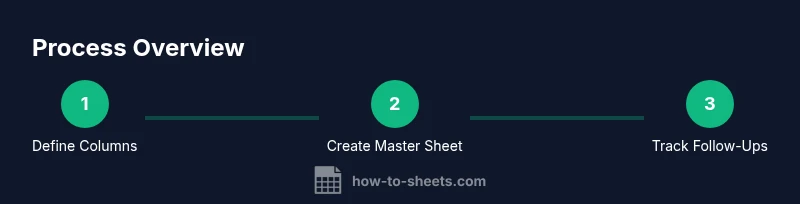
Choose a minimal set of core fields that cover the job, company, status, dates, and a link to the posting. Use clear, consistent names (e.g., Date Applied, Status, Follow-Up Date) to ensure accurate filtering later.
Tip: Name fields consistently and use short, searchable labels. - 2
Create a master sheet
Set up a single master sheet with a header row and freeze the top row for easy navigation. Add required columns and a status dropdown to standardize inputs across entries.
Tip: Use data validation for Status to prevent typos and improve filters. - 3
Add core formulas
Incorporate simple formulas to calculate days since applied, flag upcoming follow-ups, and count entries by status. Keep formulas modular so you can adjust later without breaking the sheet.
Tip: Prefer non-destructive formulas and keep a backup before editing. - 4
Import or paste data
Import data from job boards or paste postings into the sheet. Maintain a consistent format so new rows align with existing columns and filters.
Tip: Limit manual entry by sharing a copy of the template with recruiters or mentors in a read-friendly format. - 5
Set up reminders and deadlines
Use the Follow-Up Date field to trigger visual cues (e.g., conditional formatting) and email/calendar reminders if desired.
Tip: Choose realistic reminder intervals to avoid notification fatigue. - 6
Create filters and views
Add filter views for current applications, next follow-ups, or a specific industry. Save common views for quick access.
Tip: Name each view clearly (e.g., ‘Upcoming Follow-Ups’). - 7
Share with collaborators
If you’re getting feedback from mentors, share with appropriate permissions. Provide guidance on which fields are editable and which are protected.
Tip: Disable sensitive data sharing unless necessary for collaboration. - 8
Review and iterate weekly
Set a recurring weekly review to update statuses, add new postings, and adjust follow-up plans based on outcomes.
Tip: Block a 20–30 minute weekly slot to stay consistent.
FAQ
What is a job search google sheets template?
A job search google sheets template is a structured workbook that lets you track applications, deadlines, and outreach in one place. It standardizes data entry and provides quick views to prioritize next steps.
A job search template is a structured Google Sheets workbook that helps you track all applications in one place, making it easier to stay organized.
How do I customize a template for my field?
Start with core fields and add industry-specific notes. Use color-coding and field variants to reflect different hiring cadences, but keep the core statuses consistent for easy filtering.
Begin with core fields, then add industry-specific notes and colors while keeping core statuses consistent.
Can I share this template with a mentor or friend?
Yes. Share with restricted access, limiting sensitive data. Provide a short onboarding note so collaborators understand fields and workflows.
Yes, but share with limited access and include a quick guide so collaborators know how to use it.
What data should I track in addition to applications?
Track dates, contact person, follow-up status, and outcomes. Link to job postings and tailored documents to keep everything connected and actionable.
Include dates, contacts, follow-ups, outcomes, and links to postings and tailored documents.
Is a template enough, or do I need automation?
A template is a strong foundation. Add automation later if you need reminders or calendar events, but start with solid data and a clean structure.
A template is a great start; add automation later if needed, but focus on clean data first.
How often should I update my tracker?
Update the tracker after every meaningful action: submission, response, interview, or follow-up. A quick daily check prevents backlogs and keeps momentum.
Update it after every action—submission, response, interview, or follow-up—ideally daily.
Watch Video
The Essentials
- Define a focused set of core fields
- Keep data consistent with validations
- Use filters to focus on priorities
- Schedule weekly reviews
- Back up your data regularly