Google Sheets vs Airtable-like Alternatives: Practical Comparison
Side-by-side guide comparing Google Sheets with Airtable-like alternatives for data management, collaboration, and automation. Learn strengths, trade-offs, and when to choose each tool for work.


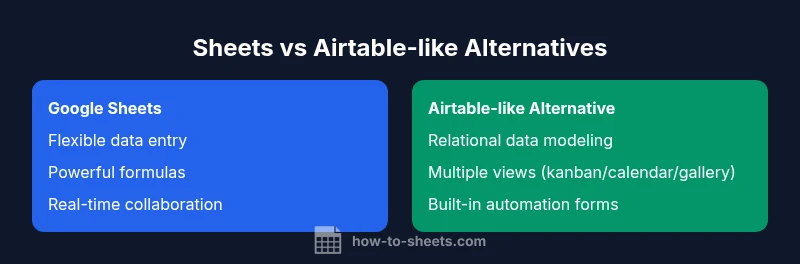
TL;DR: Google Sheets remains the default for flexible data entry, real-time collaboration, and broad compatibility. If your project requires structured data with relational views, forms, and built-in automation, an Airtable-like alternative can dramatically speed up workflows. The best choice depends on whether data modeling or flexible entry is your priority, and many teams benefit from a hybrid approach.
The Landscape: what "google sheets like airtable" means in practice
In the modern toolkit for data work, the phrase "google sheets like airtable" often signals a spectrum rather than a single product. On one end, you have traditional spreadsheets—Google Sheets—emphasizing free-form entry, complex formulas, and seamless collaboration. On the other end, Airtable-like platforms blend databases with spreadsheet familiarity, offering relational links, multiple views, and automation blocks. For students, professionals, and small business owners, the best option is rarely a pure one-off choice; more often, it’s a blend that uses Sheets for lightweight tasks and a database-like tool for structured workflows. This article compares the core capabilities side-by-side to help you decide which path fits your goals, data shape, and team dynamics.
Key takeaway: the decision hinges on data structure versus workflow velocity, not merely on feature lists, and a hybrid setup is increasingly common.
Core Data Models: Tables, Rows, and Cells vs Logs, Records, and Linked Tables
A crucial difference between Google Sheets and Airtable-like systems is data modeling. Sheets organizes data in sheets composed of cells, with formulas that cross-reference across rows and columns. There is no built-in concept of a “record” that links to another record in a separate table. Airtable-like tools, meanwhile, model information as records within tables that can be linked to other tables. This relational capability enables one-to-many relationships, lookups, and rollups that feel natural for inventories, catalogs, or project databases. If your use case requires strong data integrity across connected tables, Airtable-like structures tend to reduce duplication and improve consistency. If you primarily need flexible data entry and ad-hoc analysis, Sheets remains more straightforward.
Practical guidance: map your data by considering future relations. If you see yourself needing linked records or cross-table reporting, lean toward an Airtable-like approach; otherwise, Sheets will cover most needs with formulas and data validation.
Field Types and Attachments: Basic Cells vs Rich Field Ecosystems
Google Sheets supports basic data types—text, numbers, dates, and formulas. It handles attachments in a limited way (via links or cell comments) and lacks built-in rich field types. Airtable-like tools offer a richer field ecosystem: single/multi-selects, attachments, checkboxes, rating fields, and rollups across linked records. This difference matters when you’re cataloging products, assets, or tasks with categorical metadata and media. If your workflow benefits from structured metadata and built-in media support, Airtable-like platforms reduce manual work. For teams that prioritize fast data entry and complex calculations over rich field types, Sheets provides more flexibility with fewer constraints. Tips: use data validation, dropdowns, and helper columns in Sheets to approximate rich fields, while accepting that some views will require an Airtable-like layer for full richness.
Views, Relationships, and Relational Thinking: Kanban to Cross-Table Lookups
Relational thinking comes into play in how you view your data. Airtable-like systems natively support multiple views (grid, kanban, calendar, gallery) and allow you to link records between tables. A Sheets-centric approach relies on built-in filters, pivot tables, and, if needed, Apps Script, pivot-like reporting, and external dashboards. The результат is a trade-off: Airtable-like tools provide a richer, more visual, and more structured experience with fewer workarounds, while Sheets offers powerful ad-hoc analysis and flexibility. For teams that need quick overviews or multiple presentation modes, Airtable-like views can reduce manual re-assembly of data. For teams that value raw data manipulation and formula-driven insights, Sheets remains unbeatable for speed and reach.
Forms, Automations, and Workflows: Built-In vs Connector-Driven Automation
Automation can be a make-or-break factor. Airtable-like platforms often include built-in automation blocks, forms, and triggers aligned to data operations, making it easy to create workflows without coding. Google Sheets can achieve automation through Google Apps Script, integrated Google Forms, and third-party automation connectors (Zapier, Make). The downside of Apps Script is the initial learning curve, while built-in automations in Airtable-like systems are often more approachable but may come with higher subscription costs. Your choice depends on who builds the automation and how deeply it needs to integrate with other systems. For rapid prototyping, Airtable-like automation can offer a faster start; for custom business logic, Apps Script in Sheets may be more flexible.
Collaboration and Access Control: Real-Time Edits vs Role-Based Permissions
Real-time collaboration is a strength for Sheets and Airtable alike, but their collaboration models differ. Google Sheets excels at simultaneous editing, comments, and easy sharing, but column-level permissions can be cumbersome. Airtable-like platforms often provide more granular access controls and role-based permissions across bases and tables, which is valuable for teams that require strict governance. If your project requires strict access control, consider an Airtable-like solution; if it’s a collaboration-first task with quick sharing, Sheets offers simplicity and speed. Consider pairing Sheets with a controlled Airtable-like layer where governance is key.
Import, Export, and Ecosystem Integrations: Ecosystem Strengths and Gaps
Airtable-like tools tend to offer stronger native integrations with data modeling and automation blocks, plus API-first ecosystems enabling rapid app-like experiences. Google Sheets shines with deep integration into the Google Workspace ecosystem, extensive add-ons, and broad scripting possibilities through Apps Script. Import/export paths differ: Sheets handles CSV, Excel, and Google-specific formats well, while Airtable-like platforms emphasize relational exports, API-driven data synchronization, and multi-view exports. For teams needing broad compatibility and a familiar interface, Sheets remains a strong base; for teams requiring tight integration with modern apps and structured data flows, Airtable-like tools can speed up implementation.
Pricing, Add-Ons, and Ecosystem Trade-offs: Cost Structures Without Real-World Prices
Pricing is a major factor. Google Sheets is often bundled with Google Workspace or available freely for basic use, while Airtable-like platforms usually operate on tiered plans that scale with records, storage, and automation. Because pricing varies by plan and usage, it’s essential to map expected data volume, automation runs, and user counts before choosing. Add-ons and integrations can alter total cost dramatically, so a total-cost-of-ownership view helps prevent surprises. If your team values cost predictability and broad accessibility, Sheets offers a low-friction entry; if your work demands advanced automation and rich data models, an Airtable-like solution may deliver more value even with higher ongoing costs.
Migration, Data Integrity, and Change Management: Moving Between Worlds
Migration between Sheets and Airtable-like platforms is feasible but non-trivial. Plan for data modeling adjustments, data cleansing, and re-creating views or automations. Maintain data integrity with validation rules and test migrations on a subset of data. Change management matters: ensure stakeholders understand the data relationships you’ll implement, and document the mapping between fields, records, and views. In practice, teams often migrate gradually, using Sheets for core data entry and an Airtable-like layer for relational reporting and workflows while keeping governance front and center.
Real-World Use Cases by Role: Students, Professionals, and Small Businesses
Students often rely on Sheets for rapid assignment tracking, lab data, and budget planning because of familiarity and low cost. Professionals may prioritize Airtable-like platforms for project catalogs, asset tracking, and client data with multiple views and automation to streamline handoffs. Small businesses frequently adopt a hybrid approach: Sheets for day-to-day data capture, plus an Airtable-like workspace for CRM-like workflows, inventory, and project management. The key is to align the tool with the type of data and the workload pattern you expect, and to design a clear data model before you begin.
Decision Framework: Quick Questions to Guide Your Choice
- Do you need robust relational data with linked records? - Are multiple views (kanban, calendar, gallery) essential for your team? - Is there a need for built-in forms and automation blocks? - Will the data model evolve to require strict governance and permissions? - What is your budget and total-cost-of-ownership? - Do you require seamless integration with Google Workspace or with a broader app ecosystem? Answering these questions helps determine whether a Sheets-centric approach suffices or a dedicated Airtable-like tool is a better fit.
Hybrid Approaches: When to Mix Sheets with Airtable-like Solutions
Many teams adopt a hybrid model to balance flexibility and structure. Use Google Sheets for initial data capture, lightweight calculations, and real-time collaboration. Introduce an Airtable-like base for relational reporting, automation, and multi-view dashboards when data structure hardens or governance becomes important. Integration points—such as syncing key fields or enabling cross-tool triggers—should be designed with data integrity in mind. A hybrid approach often yields faster iteration, clearer ownership, and a shared language across stakeholders while avoiding vendor lock-in.
Comparison
| Feature | Google Sheets | Airtable-like Alternative |
|---|---|---|
| Data modeling approach | Cell-based spreadsheets with cross-sheet references | Relational tables with linked records across bases |
| Views and collaboration | Grid view, filters, comments; strong real-time collaboration | Grid/kanban/calendar/gallery views; built-in collaboration with permissions |
| Field types and attachments | Text/Number/Date; limited attachment support | Rich field types: single/multi-select, attachments, rollups |
| Automation & forms | Apps Script, Forms, connectors | Built-in automation blocks, forms, triggers |
| Integrations & ecosystem | Google Workspace, Apps Script, add-ons | APIs-first integrations with many apps |
| Pricing/Accessibility | Part of Workspace; free tier for basic use | Tiered plans with limits on records and automation |
| Best for | Ad-hoc data entry, flexible analysis | Structured data workflows with multi-view needs |
The Good
- Low upfront cost and broad accessibility
- Familiar interface and strong formulas
- Real-time collaboration across teams
- Extensive community support and add-ons
The Bad
- Limited native relational data capabilities
- Fewer built-in rich field types
- Automation often requires scripting or external tools
Hybrid approach is often the best path: use Sheets for flexible data capture and quick calculations, while Airtable-like tools handle structured data, multi-view workflows, and automated processes.
For most teams, combining both tools delivers speed, governance, and versatility. Start with Sheets for entry and analysis, then layer in an Airtable-like base for relational reporting and automated workflows as needed.
FAQ
What is the main difference between Google Sheets and Airtable-like tools?
Sheets is a spreadsheet-focused tool optimized for flexible entry and complex formulas. Airtable-like platforms are database-style with linked records, multiple views, and built-in automation. Your choice hinges on whether you need strong data relationships or rapid, ad-hoc data work.
Sheets shines for quick data entry and formulas; Airtable-like tools excel with relational data and structured workflows.
Can I replace Airtable with Google Sheets for relational data?
You can model some relationships in Sheets using cross-sheet references and scripts, but true relational linking is native to Airtable-like tools. Expect more workarounds or custom automation if you rely solely on Sheets.
Relational linking is not native to Sheets; you’ll need clever workarounds or add-ons.
Are there built-in automation options in Google Sheets?
Google Sheets offers automation through Apps Script and external connectors. Built-in automation is more limited compared to Airtable-like tools, which have ready-to-use automation blocks.
Automation exists, but Airtable-like automation blocks are often easier to configure.
Which tool is cheaper for a small team?
Sheets is typically cheaper, especially if you already use Google Workspace. Airtable-like tools can be costlier due to tiered plans but may save time through built-in features.
Sheets usually costs less upfront; Airtable-like tools may offer more value with built-in features depending on needs.
Can I migrate data between these platforms easily?
Migration is possible but requires planning: map fields, recreate views, and validate data integrity. Expect some data transformation when moving between formats.
Migration takes planning and testing, but it’s doable with careful mapping.
Is offline access possible with Google Sheets and Airtable-like apps?
Sheets supports offline editing via Google Drive on supported devices. Airtable-like apps may offer offline mode depending on the platform, often with limited features.
Offline work is more straightforward in Sheets; Airtable-like offline capabilities vary by product.
The Essentials
- Assess whether your data needs are relational or entry-driven
- Favor a hybrid setup when both flexibility and structure are required
- Leverage Sheets for broad compatibility and automation via Apps Script
- Use Airtable-like tools for multi-view reporting and stronger data governance
- Plan migrations and integrations to avoid data loss or workflow breaks