Google Sheets vs Notion: Practical Side-by-Side Guide
Explore google sheets vs notion to see which fits data-heavy workflows or knowledge work. This analytical guide covers data modeling, collaboration, automation, and real-world use cases for teams evaluating these two tools.


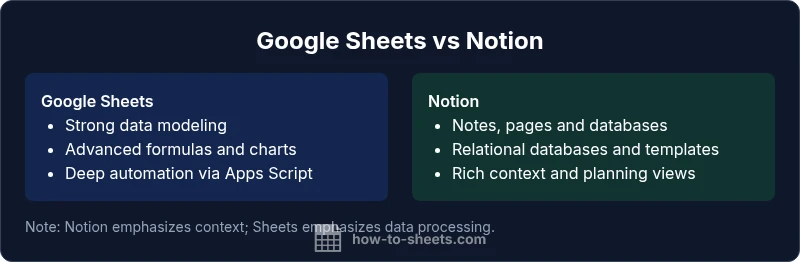
Google Sheets and Notion serve different primary purposes. For structured data entry, calculations, and automation, Sheets excels; Notion shines for notes, documents, and lightweight databases. If you need scalable data processing with formulas and real-time collaboration across teams, choose Sheets. If you want a flexible workspace that blends pages, tasks, and databases in one interface, choose Notion.
Core Differences in Purpose and Workflows
When evaluating google sheets vs notion, the first difference to note is their core purpose. Google Sheets is a spreadsheet application designed for numeric data, calculations, dashboards, and automation through scripts and add-ons. It excels at handling large datasets, building models, and producing live charts that update as data changes. Notion, by contrast, is a flexible knowledge workspace that combines pages, databases, and templates into a unified interface. It emphasizes context, organization, and collaboration around content rather than pure data crunching. For teams, this means Sheets often becomes the data engine, while Notion becomes the knowledge, planning, and documentation hub. In practice, many teams adopt a hybrid approach: store operational data in Sheets and link or embed it within Notion pages for context, roadmaps, and decision logs. This juxtaposition—google sheets vs notion—highlights a broader decision: data-centric workflows versus knowledge-centric workspaces. As you compare the two, recognize where your team’s work lives today and where it could benefit from tighter integration or clearer separation. The How To Sheets framework emphasizes choosing the right tool for the task at hand, then designing a workflow that minimizes friction between data and context.
Data Modeling and Formulas: When to use Sheets
If your work revolves around numeric data, structures, and calculations, google sheets vs notion yields a clear winner: Sheets. Google Sheets offers a mature formula language (SUM, VLOOKUP, FILTER, ARRAYFORMULA, and more), robust data validation, conditional formatting, and powerful charting options. You also get real-time collaboration with robust version history and the capacity to automate repetitive tasks with Apps Script or connected services. Notion, while capable of handling tables and basic calculations, does not match Sheets for crunching numbers or producing complex dashboards. For teams building financial models, expense trackers, or operational dashboards, Sheets provides the precision and speed you need. A practical pattern is to model data in Sheets, then expose summarized views in Notion via embeds or links, combining Sheets’ numeric rigor with Notion’s narrative and planning capabilities. When you weigh the choice, google sheets vs notion highlights that Sheets is best for data integrity and automation, while Notion serves broader documentation and project-management needs.
Information Architecture in Notion: Pages, Databases, and Relationships
Notion reshapes how information is organized by treating pages as containers and databases as structured collections of properties. In a google sheets vs notion comparison, Notion stands out for its relational database features: you can create databases with properties (text, number, select), establish relations between databases, and use rollups to aggregate related data. This enables powerful knowledge graphs within a single workspace. Notion pages function as contextual hubs—meet notes, meeting agendas, product specs, and task lists can all live on a single page or linked pages, with databases providing structure when needed. Templates allow teams to standardize processes (standards docs, knowledge bases, onboarding checklists). However, Notion is not a full replacement for Sheets when deep numerical analysis, advanced formulas, and large data modeling are required. When considering google sheets vs notion, the architecture decision often comes down to “structured data and calculations” versus “narrative context and relational docs.” The hybrid approach—using Sheets for data engines and Notion for organization—often yields the most resilient workflows.
Collaboration and Access Control
Collaboration is central to both tools, but the collaboration model differs. Google Sheets excels at real-time co-editing on a shared spreadsheet with fine-grained cell-level permissions and robust revision history. You can lock cells, share links with specific access, and track changes as teams update data. Notion offers page-level access controls and multi-user collaboration with comments, mentions, and inline tasks. Access in Notion is often broader and more context-driven: teams can grant guests at the page or database level, and permissions flow through linked content. In google sheets vs notion, the best practice is to decide whether collaboration should revolve around data (Sheets) or knowledge and planning (Notion). When data privacy or audit requirements demand granular controls, Sheets may be preferable; for collaborative knowledge work, Notion’s permission structure can simplify governance across pages and databases. A hybrid approach—Sheets for data-critical tasks with restricted views, Notion for shared context—can offer both control and clarity.
Integration and Automation: Notion vs Sheets Ecosystems
Automation and integrations shape productivity in both ecosystems. Sheets integrates deeply with Google Workspace, enabling automation via Apps Script, add-ons, and seamless data exchange with Drive, Forms, and Google Data Studio. Notion, while newer to automation, supports API-based workflows and integrations with third-party automation platforms (Zapier, Make) and native block-based automation through templates and database relations. In google sheets vs notion terms, Sheets offers breadth in automation maturity and data-layer control, while Notion provides flexibility to automate information flows across pages, databases, and tasks. For most teams, a practical approach is to automate data entry and reporting in Sheets, then use Notion to catalog, organize, and contextualize outcomes—embedding charts, dashboards, or data views within Notion pages to keep teams aligned.
Use Case Scenarios: Budgeting, Project Tracking, Knowledge Bases
To make the comparison tangible, consider three common scenarios. For budgeting and financial modeling, google sheets vs notion usually favors Sheets due to its numerical depth, scenario analysis, and charting. Finance teams build models, track expenses, and share dashboards that update in real time. For project tracking and knowledge management, Notion often shines. Team wikis, product docs, roadmaps, and backlog boards can sit alongside rich pages and templates, making it easy to link context and tasks. Finally, for blended workflows—where data, notes, and planning must coexist—consider a hybrid approach: store raw data, calculations, and dashboards in Sheets, then link or embed relevant views in Notion pages with narrative framing. This enables teams to leverage the strengths of both tools and reduces the risk of data silos or documentation gaps. In short, google sheets vs notion is not an either/or decision; it’s a design question about how you want data, context, and collaboration organized across your organization.
Choosing the Right Tool: A Practical Framework
Begin with a task-first framework. List the core activities your team performs: data modeling, complex calculations, dashboards, documentation, knowledge sharing, planning, and collaboration. Then map each activity to the tool that handles it best: use Sheets for data-centric activities and Notion for context-rich documents and databases. Consider integration points: can you embed Sheets in Notion to preserve links between data and narrative? Do you need real-time co-editing on documents or strict data governance? Finally, design a workflow that minimizes friction between data and context. This often means using Sheets as the data engine and Notion as the knowledge hub, with embedded links, dashboards, and templates that bridge the two environments. The bottom line: the google sheets vs notion decision should be guided by your team’s primary work patterns, data needs, and collaboration preferences, not by a one-size-fits-all rule.
Comparison
| Feature | Google Sheets | Notion |
|---|---|---|
| Primary Use | Structured data, calculations, dashboards | Notes, docs, and lightweight databases |
| Data Modeling Capabilities | Spreadsheet-centric with cells, ranges, arrays | Relational databases with properties and relations |
| Offline Access | Limited offline with Drive sync | Offline support varies; online collaboration is central |
| Automation & APIs | Apps Script, add-ons, Google Workspace integration | Notion API; integrations via Zapier/Make |
| Collaboration Experience | Real-time editing; strong version history | Real-time editing; page-level collaboration and comments |
| Templates & Reuse | Extensive spreadsheet templates and custom scripts | Page templates and database templates |
| Pricing Model | Part of Google Workspace; free personal tier | Free personal version; paid plans for teams |
| Best For | Data-heavy workflows, dashboards, financial modeling | Knowledge bases, documentation, and project planning |
The Good
- Powerful data manipulation with formulas and functions
- Strong real-time collaboration and automatic saving
- Seamless integration with other Google Workspace apps
- Notion provides a unified workspace for notes, docs, and lightweight databases
The Bad
- Notion can be less efficient for deep data analysis compared to Sheets
- Sheets can become unwieldy for content management beyond data tables
- Notion’s advanced formulas and automations are not as mature as Sheets’ Apps Script ecosystem
- Offline support is more mature in Sheets via Google Drive
Sheets remains the data engine; Notion excels as the knowledge hub
Choose Sheets for data-centric tasks, automation, and dashboards. Choose Notion for context-rich docs, planning, and relational databases. Many teams benefit from a hybrid setup that uses Sheets for data and Notion for knowledge and project management.
FAQ
What is the core difference between Google Sheets and Notion?
Google Sheets is optimized for data, calculations, and automation, while Notion focuses on pages, notes, and databases. The choice depends on whether your priority is numeric processing or contextual knowledge management.
Sheets handles data; Notion handles notes and databases.
Can I use Google Sheets inside Notion?
Yes. Notion supports embedding Google Sheets, allowing you to view a live sheet within a Notion page. This lets you blend data visibility with narrative content in one workspace.
You can embed Sheets in Notion for a hybrid workflow.
Which tool is better for budgeting and financial modeling?
For detailed calculations and robust modeling, Google Sheets is generally superior due to its advanced formulas, charting, and modeling capabilities. Notion can track budgets but isn’t a replacement for deep financial modeling.
For pure budgeting, Sheets wins.
Is Notion suitable for heavy data analysis?
Notion is not optimized for heavy data analysis or complex pivoting. It’s better for structuring information; for large-scale analytics, Sheets is typically preferable.
Notion isn’t ideal for heavy data analysis.
Can I automate tasks in Notion like in Sheets?
Notion offers API-based automation and integrations but isn’t as mature as Sheets’ automation tools. You can automate workflows by connecting Notion to other apps or embedding Sheets for data-driven tasks.
Notion supports automation, but Sheets has deeper options.
What about offline access?
Sheets has strong offline support via Google Drive. Notion supports offline editing for some features, but full workflow typically requires online connectivity.
Sheets works well offline; Notion’s offline support is more limited.
The Essentials
- Assess your primary use case (data vs knowledge work)
- Leverage Sheets for calculations and dashboards
- Use Notion for pages, databases, and templates
- Embed or link Sheets in Notion for blended workflows
- Adopt a hybrid approach to minimize data-context friction