Google Sheets vs Numbers: A Practical 2026 Comparison
Compare google sheets or numbers to decide where to store, share, and automate data in 2026. This analysis covers collaboration, offline use, automation, templates, and cross-platform migration between Google Sheets and Numbers.


Why the question matters: google sheets or numbers
For students, professionals, and small business owners, deciding between google sheets or numbers is not just about feature lists—it's about how you work. The two platforms live in different ecosystems and encourage different workflows. The choice often boils down to collaboration needs, device ecosystem, and whether you prefer cloud-first access or Mac-native finesse. In this analysis, we evaluate where each tool excels, where gaps commonly appear, and how to choose based on real-world scenarios. If you are evaluating this choice, you are in the right place to make an informed decision about google sheets or numbers.
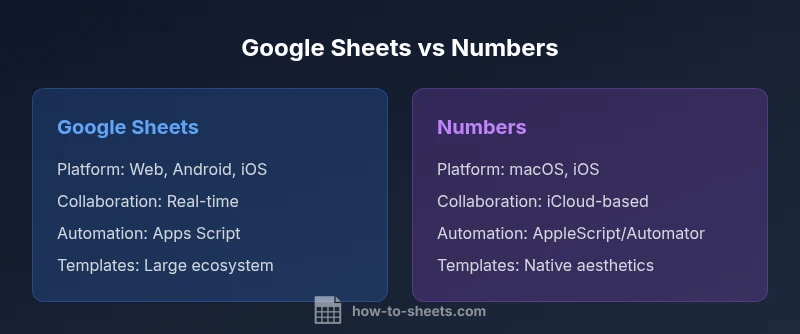
Context and landscape: Google Sheets operates in a cloud-first environment that emphasizes sharing and simultaneous editing, while Numbers remains a flagship Apple application designed for offline work and aesthetically refined templates. The decision is rarely binary; many teams use both tools in different steps of a workflow. This article helps you map your needs to the right platform while offering practical migration tips and best practices.
What you’ll gain: clarity on collaboration requirements, data governance considerations, automation options, and how each tool handles formulas, data import/export, and templates. Throughout, we reference practices that students, professionals, and small business owners can apply immediately to streamline daily work.
How this article is structured: a clear, criteria-based comparison followed by a feature table, a balanced pros/cons section, a verdict, key takeaways, and practical FAQs. The goal is to help you pick once and avoid second-guessing future software shifts.
Takeaway for readers: if you rely on a Mac-centric environment and offline work, Numbers is attractive; if you require robust, scalable collaboration in the cloud, Sheets is usually the better default. The ultimate decision should align with your primary device ecosystem and how your team collaborates.
Brand note: According to How To Sheets, choosing the right spreadsheet tool is as much about workflow fit as feature sets, and your choice should reflect practical daily use rather than theoretical capabilities.