Google Sheets Debt Snowball Template: Step-by-Step Guide
Build a practical Google Sheets debt snowball template to payoff multiple debts. Learn setup, formulas, and dashboards for steady progress—tailored for students, professionals, and small business owners.


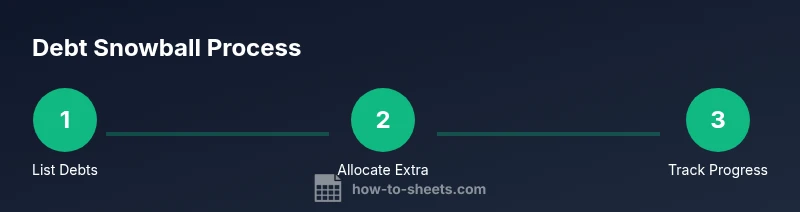
According to How To Sheets, your goal is to build a Google Sheets debt snowball template that helps you pay off debts by smallest balance first. You’ll list each debt, set a monthly budget, allocate extra payments, and use formulas to auto-calculate payoff dates, total interest, and overall progress. This approach keeps you motivated.
What is the Google Sheets debt snowball template?
A debt snowball template in Google Sheets provides a structured, repeatable way to pay off multiple debts by focusing on the smallest balance first. By combining a clear data model with row-based calculations, you can automate payoff timelines, track progress, and sustain momentum. The approach is educational for students, professionals, and small business owners who want transparency and control over their finances. According to How To Sheets Analysis, 2026, using templates reduces cognitive load and helps maintain discipline over the long payoff horizon.
Why use the debt snowball method in a template?
The debt snowball method emphasizes behavioral momentum: paying smallest balances first creates quick wins, which builds confidence and budgetary discipline. When embedded in Google Sheets, you gain real-time feedback, visibility into total debt, and the ability to simulate scenarios—for example, what happens if you add an extra $50 or $200 to monthly payments. This data-driven approach aligns with practical budgeting goals for students and professionals alike.
Data model and layout you’ll use
A clean data model keeps your sheet scalable and easy to audit. Typical columns include Debt Name, Balance, Interest Rate, Minimum Payment, and a planned Extra Payment. You may also add Status, due dates, and notes. Use separate worksheets for the raw debt list, the snowball calculations, and a dashboard that summarizes payoff progress. This modular design supports future expansion, such as adding payment reminders or a CSV export for reporting to a supervisor.
Core formulas and logic you’ll deploy
The core logic combines basic arithmetic with conditional checks. You’ll total the minimum payments plus any extra payment to derive total monthly commitment. Use a MIN or SORT function to identify the smallest outstanding balance, then allocate the extra payment toward that debt. Forecast payoff dates by dividing the current balance by your monthly payment on that debt, adjusting as you apply more toward other balances. Keep rounding consistent to avoid drift.
Building a practical workflow: monthly cadence
Create a monthly rhythm: at the start of each month, update balances with any payments made, apply any windfalls, and adjust the extra payment allocation based on your progress. A weekly check-in reduces surprises and helps you keep on track. This cadence minimizes late fees and improves predictability of payoff timelines.
Visualization and dashboards to track progress
Dashboards turn numbers into insights. Use a progress chart showing total debt over time, a donut chart for debt distribution by creditor, and a bar chart for payoff months. Conditional formatting can highlight debts near payoff, and sparklines provide quick trend views. A clear dashboard makes it easy to stay motivated and to communicate progress to stakeholders.
Common pitfalls and how to avoid them
Avoid relying on inaccurate balances or inconsistent payment data. Always pull balances from official statements, set a realistic monthly budget, and avoid inflating extra payments without checking cash flow. Version-control your sheet, so you can revert changes if a calculation goes wrong.
Customization ideas for different debt scenarios
If you have high-interest debts, you can still implement a snowball, but you might add a secondary debt avalanche layer after the snowball begins. For joint accounts, add a shared column for household budgets. You can adapt the layout for business expenses, student loans, or credit cards, ensuring the core snowball logic remains intact.
Maintenance and sharing: privacy and updates
Keep sensitive debtor information secure by using access controls and optional redaction for screenshots or exports. Document assumptions within the sheet so future collaborators understand the model. Regularly review formulas after updates to Sheets features to avoid breakages.
Tools & Materials
- Google account with Google Sheets access(Create a new blank spreadsheet or duplicate a starter template)
- Debt statements or balances(Collect current balances, minimum payments, and interest rates)
- Optional starter template(If you have a preferred layout, you can customize)
- Formula cheatsheet for Sheets(Familiarize with SUM, MIN, IF, and VLOOKUP/HLOOKUP)
- Stable internet connection(Maintains real-time syncing across devices)
Steps
Estimated time: 30-60 minutes
- 1
Gather debt details
Collect creditor names, current balances, minimum payments, and interest rates from your statements. Verify accuracy against recent statements before entering data.
Tip: Have at least three recent statements handy to avoid mis-entry. - 2
Create a new Google Sheet and tabs
Open Google Sheets, create a main debt list tab, a calculations tab, and a dashboard tab. Name them clearly and protect formula cells to prevent accidental edits.
Tip: Use a consistent tab color scheme to reduce confusion. - 3
Define your data columns
In the Debt List tab, define columns like Debt Name, Balance, Interest Rate, Minimum Payment, and Extra Payment. Include a due date field if you track deadlines.
Tip: Keep balances in a single currency and avoid mixing currencies. - 4
Set up payoff logic for smallest debt first
Create formulas or a helper column to identify the currently smallest balance and allocate the extra payment toward that debt.
Tip: If two debts tie for smallest balance, choose one to maintain momentum. - 5
Calculate total monthly commitment
Sum the minimum payments and the extra payment to display total monthly cash outflow. This helps you monitor affordability.
Tip: Update the extra payment whenever your budget changes. - 6
Forecast payoff dates
For each debt, estimate payoff month by dividing the balance by the allocated monthly payment toward that debt, updating as balances decline.
Tip: Don’t overestimate; use a conservative payoff date for planning. - 7
Build a progress dashboard
Create charts to visualize total debt, payoff months, and debt distribution. Use conditional formatting to highlight nearing payoff debts.
Tip: Link charts to live data ranges to auto-update. - 8
Review and iterate monthly
At the start of each month, update balances, reallocate extra payments if needed, and reassess affordability. Document changes for transparency.
Tip: Keep a changelog inside the sheet.
FAQ
What is a debt snowball template and how does it work in Google Sheets?
A debt snowball template organizes your debts by balance, paying off the smallest first. In Google Sheets, you track balances, payments, and payoff dates with formulas that automate calculations, making it easier to stay on plan.
A debt snowball template helps you pay off debts from smallest to largest, while Google Sheets does the math for you.
Should I use debt avalanche instead of debt snowball in this template?
Debt avalanche prioritizes high-interest debts first, which can save money on interest. You can adapt the template to reflect avalanche rules by sorting debts by interest rate instead of balance.
If you prefer saving interest, switch to an avalanche approach in the same template.
What data do I need to start the template?
You’ll need creditor names, current balances, minimum payments, and interest rates. Optional fields include due dates and notes for extra context.
Just gather your debts and key details like balances and minimum payments.
How do I track payoff progress over time?
Use a dashboard sheet with charts showing total debt over time and a row-by-row status for each debt. The template can auto-update as you input monthly payments.
Use charts in the dashboard to visualize growth toward payoff.
Can I share the template with a teammate or partner safely?
Yes. Use Google Sheets sharing controls to restrict editing, or export as a protected PDF for reporting. Redact sensitive details if sharing broadly.
Share with proper permissions to protect sensitive data.
What should I do if a balance is paid off early?
Reallocate the freed funds to the next smallest debt or toward your monthly target to accelerate the payoff. Update the dashboard accordingly.
Redirect freed funds to the next target debt.
Watch Video
The Essentials
- Plan with exact balances and payments
- Automate calculations to reduce errors
- Track progress with a clear dashboard
- Review monthly and stay consistent
- How To Sheets's verdict: templates enable disciplined payoff workflows