Google Sheets vs WPS Office: A Practical Comparison for 2026
A data-driven comparison of Google Sheets and WPS Office, covering collaboration, offline use, pricing, and compatibility to help students, professionals, and small businesses decide.


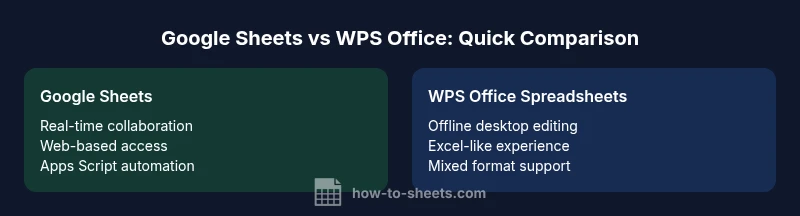
Google Sheets and WPS Office both offer solid spreadsheet capabilities, but they target different workstyles. Google Sheets excels at real-time cloud collaboration and easy sharing, while WPS Office provides strong offline desktop editing with an Excel-like feel. When deciding, weigh your need for online teamwork against offline productivity and ecosystem compatibility.
Overview: Google Sheets vs WPS Office
Google Sheets and WPS Office provide competing approaches to spreadsheet work. Google Sheets lives in the cloud and emphasizes collaboration, sharing, and real-time updates. WPS Office, built from a desktop-first perspective, prioritizes offline access, local file ownership, and a familiar Excel-like interface. Both suites aim to help students, professionals, and small business owners manage data, run calculations, and present insights; yet the path users take depends on work habits and project requirements. When you examine google sheets vs wps office through a practical lens, you should weigh connectivity, device access, and how your team collaborates. This guide, aligned with How To Sheets' practical templates and steps, walks through those trade-offs with clear criteria and concrete use cases so you can decide with confidence.
Core differences at a glance
- Scope and delivery: Google Sheets is cloud-first, while WPS Office balances cloud features with strong desktop editing.
- Collaboration: Sheets enables real-time co-authoring and effortless sharing; WPS offers collaboration options but offline readiness can vary.
- Offline and cross-device work: WPS Office provides robust offline editing on desktop platforms; Google Sheets relies on internet connectivity for peak performance, with offline support available in limited fashion.
- Ecosystem and integrations: Sheets integrates deeply with Google Workspace; WPS Office ties into Microsoft Office formats and broader file compatibility.
- Pricing models: Sheets has a generous free tier with optional workspace features; WPS Office uses a freemium desktop model with paid add-ons.
- Templates and automation: Sheets leverages Apps Script for automation; WPS offers macros and VBA-like capabilities in desktop mode.
- File formats and portability: Both support Excel and common formats, but cross-format fidelity varies with complex sheets.
Collaboration and cloud capabilities
Collaboration is where Google Sheets shines. Multiple people can edit simultaneously, with live presence indicators and effortless sharing controls. Changes propagate instantly across devices, and revision history makes it easy to revert specific edits. WPS Office offers cloud-based collaboration options through WPS Cloud and online editing, but its strongest advantages come from desktop editing and offline access. For teams that rely on cloud storage and browser-based access, Sheets often provides a smoother experience; for users who value robust offline workflows, WPS Office can be more comfortable and familiar.
Offline Access and Desktop Experience
Offline access is a critical differentiator. Google Sheets supports offline editing through the browser in Chrome, but features and performance can be more limited without an internet connection and rely on prior setup. WPS Office emphasizes a traditional desktop experience, with powerful offline editing, local file ownership, and strong Excel-like behavior. If your workflow involves frequent travel, limited connectivity, or strict desktop use, WPS Office may feel more natural. If you primarily work online and share data with teammates in real time, Sheets maintains a smoother cloud workflow.
Formulas, Functions, and Automation
Both tools offer a robust set of formulas and functions, but they approach automation differently. Google Sheets relies on Apps Script, a JavaScript-based platform that enables custom functions, add-ons, and workflow automation across Google services. WPS Office uses macros and a VBA-like approach on its desktop editor, with scripting support that mirrors familiar Excel automation patterns. When you need deeply integrated automation across tools, Sheets often provides broader online integration, while WPS Office can be preferable for those who plan to automate within a desktop Excel-like environment.
File Formats, Import/Export, and Compatibility
File compatibility matters when teams use mixed ecosystems. Google Sheets saves and exports in formats like Google native sheets and Excel-compatible files, with varied fidelity for complex features. WPS Office supports a broad range of formats, especially Excel sources, and tends to preserve layout when importing and exporting. For teams migrating from Excel or embracing mixed environments, both options are viable, but expect some occasional adjustments for advanced formatting or macros when moving between systems.
Templates, Add-ons, and Extendability
Templates accelerate setup in both ecosystems, but the sources differ. Google Sheets relies on templates and add-ons from the Google Workspace Marketplace, enabling seamless integration with other Google apps. WPS Office also offers templates and a storefront for add-ons, with a focus on desktop efficiency and compatibility with Microsoft Office templates. If your work relies on a library of prebuilt templates or custom extensions, you’ll want to try both ecosystems to see which aligns with your routine.
Pricing, Plans, and Availability
Price considerations drive many decisions. Google Sheets itself offers a capable free tier tied to a Google account, with extended features in paid workspace plans. WPS Office provides a freemium desktop package, with paid tiers for extra cloud storage and advanced features. For individuals, Sheets typically remains inexpensive, especially for light usage; for teams or businesses requiring heavy offline editing and local file management, WPS Office may be more cost-effective in the long term.
Security, Privacy, and Trust
Security and privacy expectations vary by provider. Google Sheets benefits from Google’s cloud security model, including robust access controls and centralized data governance within Google Workspace. WPS Office’s security posture hinges on desktop data protection, local file security, and optional cloud storage. Organizations with strict data residency or offline requirements may prefer the desktop-first approach of WPS Office, while those prioritizing cloud collaboration may favor Google Sheets.
Use Case Scenarios: Students, Professionals, Small Businesses
Students often benefit from Google Sheets for class projects, shared datasets, and collaborative experiments. Professionals rely on Sheets for live collaboration, dashboards, and lightweight data workflows integrated with other Google tools. Small businesses with on‑site IT constraints may lean toward WPS Office for offline document control and familiar Excel-like operations. Depending on your daily tasks—data collection, budgeting, or project tracking—both tools provide solid templates and workflows, but your environment will largely determine the better fit.
Getting Started: Quick Start Guide
To begin with google sheets vs wps office, outline your top three priorities: real-time collaboration, offline work, and file compatibility. For Sheets, create a new spreadsheet in Google Drive, invite teammates, and explore essential features like data validation, filters, and basic macros (Apps Script). For WPS Office, install the desktop editor, open a blank workbook, and test typical Excel-friendly tasks such as conditional formatting and pivot tables. Run side‑by‑side tests with a small dataset to compare performance, layout handling, and macro behavior across both platforms.
Risks and Considerations: When to Choose One Over the Other
If your project requires seamless team collaboration, fast online sharing, and integration with cloud tools, Google Sheets is typically the stronger option. If offline productivity, desktop familiarity, and consistent handling of Excel-style features are paramount, WPS Office can deliver a more comfortable experience. In mixed environments, a hybrid approach—using Sheets for cloud workflows and WPS for desktop tasks—can balance strengths. Always test critical features, especially formulas, macros, and formatting, before committing to a single platform.
Comparison
| Feature | Google Sheets | WPS Office Spreadsheets |
|---|---|---|
| Collaboration & sharing | Real-time co-editing via Google Drive | Cloud-enabled but stronger offline emphasis in desktop mode |
| Offline access | Limited offline editing in browser with setup | Robust offline desktop editing with local files |
| Cross-platform access | Web, Android, iOS with cloud sync | Desktop Windows/macOS with mobile apps |
| File formats & portability | Excel compatibility with export options | Broad format support and Excel-like fidelity |
| Automation & scripting | Apps Script with cloud-centric automation | Macros/VBA-like automation on desktop |
| Pricing model | Free tier with optional workspace plans | Freemium desktop with paid add-ons |
| Templates & add-ons | Templates and marketplace add-ons for Sheets | Templates and add-ons integrated in WPS ecosystem |
The Good
- Promotes collaboration with real-time editing and easy sharing
- Accessible from multiple devices with cloud accessibility
- Strong scripting ecosystem through Apps Script
- Seamless integration with other Google Workspace tools
- Low upfront cost for individual users
The Bad
- Reliant on internet connectivity for full functionality
- Offline experiences can be fragmented or limited
- Some advanced features and formatting may require workaround in Sheets
- Privacy considerations depend on cloud provider policies
Google Sheets is the better choice for online collaboration; WPS Office excels for offline desktop work.
Choose Sheets when teamwork and cloud workflows are central. Opt for WPS Office when offline productivity and a traditional Excel-like experience are more important.
FAQ
What is the primary difference between Google Sheets and WPS Office Spreadsheets?
The primary difference lies in deployment and collaboration. Google Sheets is cloud-based with strong real-time collaboration, while WPS Office emphasizes offline desktop editing and Excel-like familiarity. Your choice should hinge on how you work—online versus offline, and how much you value ecosystem integration.
Google Sheets is best for online collaboration, while WPS Office is better for offline desktop work. Your choice depends on whether you need real-time teamwork or a desktop-first workflow.
Can I work offline with Google Sheets and WPS Office?
Google Sheets supports offline editing with prior setup, but full functionality depends on connectivity. WPS Office provides robust offline editing with its desktop app. For consistent offline work, many users favor WPS Office.
Google Sheets can work offline with setup, but WPS Office shines offline thanks to its desktop app.
Are formulas and functions compatible between them?
Both offer a broad set of formulas, but some advanced functions and scripting behave differently between the two. Basic calculations transfer well, while complex macros may require adaptation when moving between Sheets and WPS Office.
Most common formulas work in both, but advanced scripts and macros may need adjustments.
Do both support macros?
Google Sheets relies on Apps Script for automation, while WPS Office uses a VBA-like macro approach in its desktop editor. If macros are central to your workflow, test both to ensure compatibility with your tasks.
Sheets uses Apps Script; WPS uses VBA-like macros on desktop.
Which is cheaper for individuals and small teams?
Google Sheets offers a robust free tier and paid workspace options for teams; WPS Office provides a freemium desktop version with paid enhancements for cloud features. Your total cost depends on the level of cloud features and offline needs.
Sheets has a strong free tier; WPS offers a freemium desktop with paid cloud options.
Is data security comparable between the two?
Both platforms implement strong security measures, but the risk model differs. Google Sheets emphasizes cloud security with centralized governance, while WPS Office emphasizes local file security with optional cloud storage. Consider your data residency and consent requirements when choosing.
Both are secure, but Google emphasizes cloud security, while WPS emphasizes local security with optional cloud options.
The Essentials
- Prioritize online collaboration to favor Sheets
- Value offline desktop work to favor WPS Office
- Test both for core tasks before committing
- Leverage templates and automation in the chosen ecosystem