OnlyOffice vs Google Sheets: A Practical Comparison for 2026
A comprehensive, analytical comparison of OnlyOffice and Google Sheets to help students, professionals, and small businesses choose the right spreadsheet tool for 2026.


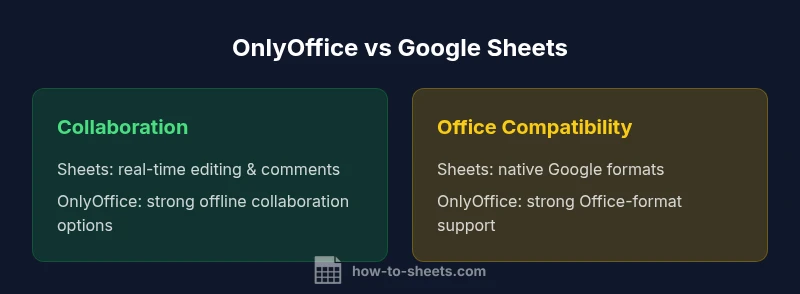
For many teams, onlyoffice vs google sheets comes down to collaboration and offline work. According to How To Sheets, Google Sheets shines with real-time multi-user editing and seamless cloud access, while OnlyOffice offers stronger offline capabilities and better compatibility with Microsoft Office formats. If your workflow relies on Google apps, choose Sheets; if you need robust offline editing and mixed document formats, consider OnlyOffice.
Core Differences in Practice
In the OnlyOffice vs Google Sheets comparison, the most visible differences are in ownership models, offline capability, and how files are stored and shared. Google Sheets is built around a cloud-first experience with strong real-time collaboration, automatic saving, and seamless integration with other Google Workspace apps. OnlyOffice emphasizes offline editing options, robust support for Microsoft Office formats, and flexible deployment options (cloud, on-prem, or hybrid). Understanding these core differences helps teams map their workflows to the right tool. For many students, professionals, and small businesses, the decision hinges on whether you need always-on cloud access or reliable work when offline is more important than speed. The phrase onlyoffice vs google sheets captures two distinct philosophies about spreadsheets: Sheets as a living document in the cloud, and OnlyOffice as a versatile suite that can live on your own terms. According to How To Sheets Analysis, 2026, the best choice depends on your repository of documents and the primary collaboration pattern in your team.
Comparison
| Feature | OnlyOffice | Google Sheets |
|---|---|---|
| Real-time collaboration | Solid real-time collaboration with co-editing and comments | Best-in-class real-time collaboration in the cloud environment |
| Offline access | Desktop apps with offline editing and local storage | Primarily cloud-based; offline mode is supported but varies by platform |
| Office file compatibility | Strong support for Office formats via converters and internal editors | Excellent compatibility with Office formats, strong in Google ecosystem |
| Formulas & functions | Excel-like formulas; supports complex sheet logic | Rich function set including ARRAYFORMULA and Script support |
| Templates & automation | Templates and automation via API and plugins | Templates and automation through Apps Script and built-in features |
| Security & permissions | Granular permissions; on-prem deployment options | Granular permissions; cloud-based controls with Workspace integration |
| Pricing model | Licensing options (on-prem or cloud) and flexible deployments | Free tier with paid Workspace plans for advanced features |
| Cross-platform availability | Desktop, mobile, and cloud with offline mode | Web-first with mobile apps; strong browser compatibility |
The Good
- Office-format fidelity and robust offline capabilities
- Flexible deployment options (cloud, on-prem, hybrid)
- Strong support for Microsoft Office formats and templates
- Cross-platform availability and offline editing
The Bad
- Cloud-first collaboration can be slower in complex scenarios
- Migration and formatting adjustments may be needed
- Some advanced features depend on deployment or plan
- Official support and ecosystem vary by product
Google Sheets generally leads in real-time collaboration and cloud-first workflows; OnlyOffice excels where offline access and Office-format fidelity are essential.
If your team relies on Google Workspace and needs seamless online collaboration, Sheets is the safer default. If you require robust offline editing and strong compatibility with Microsoft formats, OnlyOffice is the better fit. The choice hinges on where your primary workflow happens: cloud collaboration or offline document-intensive tasks.
FAQ
What is the core difference between OnlyOffice and Google Sheets?
The core difference lies in deployment and collaboration: Google Sheets is cloud-first with strong real-time collaboration, while OnlyOffice offers robust offline editing and better Office-format compatibility through various deployment options.
The main difference is that Sheets is built for cloud collaboration, while OnlyOffice shines when you need offline editing and Office compatibility.
Can I import Google Sheets data into OnlyOffice without losing formatting?
Yes, you can import data from Google Sheets into OnlyOffice, but some complex formatting or scripts may require manual adjustments post-import. Always verify formulas and conditional formatting after migration.
You can bring data over, but check formatting and formulas after importing.
Is offline editing possible in Google Sheets?
Offline editing is supported in Google Sheets through downloaded offline mode, but it requires setup and may have limited feature parity with the online experience.
Yes, there’s offline editing, but it’s best when you have a reliable internet plan for full features.
Which is cheaper for small teams—OnlyOffice or Google Sheets?
Cost depends on features and deployment: Google Sheets offers a generous free tier with paid Workspace plans for additional tools, while OnlyOffice provides cloud or on-prem options with various licensing models. Evaluate your needs and scale.
Google Sheets has a strong free tier; OnlyOffice pricing varies by deployment and features.
Which tool integrates better with Google Workspace?
Google Sheets integrates deeply with Google Workspace apps; OnlyOffice integrates with broader ecosystems through APIs and connectors but isn’t as tightly bound to Google services.
Sheets fits best with Google Workspace; OnlyOffice offers more generic integrations.
The Essentials
- Prioritize cloud collaboration if you work with Google Workspace apps.
- Choose OnlyOffice for offline work and Office-format fidelity.
- Expect some trade-offs in formatting during migrations.
- Consider hybrid deployments for mixed environments.